EasyManua.ls Logo

Casio MS-80BM - User Manual

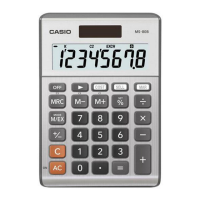
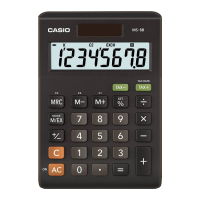
Casio MS-80BM
2 pages
Print Icon
To Next Page IconTo Next Page
Loading...
EN
MS-80BM
User’s Guide
HDC463AE0P7 SA1711-A Printed in Philippines
© 2018 CASIO COMPUTER CO., LTD.
Be sure to keep all user documentation handy for future reference.
Important Precautions
If you suspect that the calculator is operating abnormally due to static electrical charge or some
other problem, press A to restore normal operation.
Avoid dropping the calculator and otherwise subjecting it to severe impact.
Never try to take the calculator apart.
Wipe the unit with a soft, dry cloth to clean it.
The contents of these instructions are subject to change without notice.
CASIO COMPUTER CO., LTD. assumes no responsibility for any loss or claims by third parties
which may arise from the use of this product.
Power Supply
Two-Way Power System provides power even in complete darkness.
Always leave battery replacement up to an authorized dealer.
The battery that comes with this unit discharges slightly during shipment and storage. Because of
this, it may require replacement sooner than the normal expected battery life.
k Auto Power Off Function
Auto power off: Approximately 6 minutes after last key operation
Currency Conversion
• To toggle between the Memory Mode (A) and the Conversion Mode (B)
(A) (B)
0.
m
EXCH
0.
• To set conversion rates
Currency 1 (C1) is your home country currency, and so it is always set to 1. Currency 2 (C2) and
Currency 3 (C3) are for two other currencies, and you can change these rates as required.
Example: Conversion rate $1 (C1 home currency) = 0.9025 euro for Currency 2 (C2)
A&(SET) (Hold down until SET appears.) C 0.9025*
1
&(SET)
C2
EXCH
RATE
0.9025
You can check a currently set rate by pressing A and then C or D.
*
1
For rates of 1 or greater, you can input up to six digits. For rates less than 1 you can input up to
your calculator’s maximum number of digits, including 0 for the integer digit and leading zeros
(though only six significant digits, counted from the left and starting with the first non-zero digit, can
be specified).
Examples: 0.123456, 0.0123456
Clearing Calculations
To clear the calculator except for independent memory, press A.
To clear independent memory only, press M twice.
A*
2
0.
6 ÷ 3 × 5 + 2.4 – 1 = 11.4
6 /3 *5 +2.4 -1 =
11.4
2 × (– 3) = – 6
2 *3 >=
– 6.
*
2
See “Clearing Calculations”.
12 + 23 =
23 ++12 =
K
35.
45 + 23 =
45 =
K
68.
7 − 5 =
5 --7 =
K
2.
2 − 5 =
2 =
K
3.
2 × 12 =
12 **2 =
K
24.
4 × 12 =
4 =
K
48.
45 ÷ 9 =
9 //45 =
K
5.
72 ÷ 9 =
72 =
K
8.
200 × 5% = 10
200 *5 &
10.
100 + (100 × 5%) = 105
100 *5 &+
105.
500 – (500 × 20%) = 400
500 *20 &-
400.
30 = 60 × ?% ? = 50
30 /60 &
50.
12 = 10 + (10 × ?%) ? = 20
12 -10 &
20.
100%
25%
$120
? ($160)
? ($40)
120 +25 &
-
160.
40.
8 × 9 = 72
(m)*
3
MM*
4
8*9l
M
72.
–) 5 × 6 = 30
5*6m
M
30.
2 × 3 = 6
2*3l
M
6.
48
M
M
48.
*
3
See “Currency Conversion”.
*
4
See “Clearing Calculations”.
MS-80BMEN171117.indd1MS-80BMEN171117.indd1 17/11/1716:4017/11/1716:40
Question and Answer IconNeed help?

Do you have a question about the Casio MS-80BM and is the answer not in the manual?

Summary

Clearing Calculations

Clearing Operations

Instructions for clearing calculator memory, including independent memory.

Important Precautions

Handling and Safety Guidelines

Essential precautions for operation, care, and maintenance of the calculator.

Power Supply and Management

Power System Details

Information on the Two-Way Power System and battery considerations.

Auto Power Off

Explains the automatic power-off feature after a period of inactivity.

Currency Conversion

Currency Mode and Rate Setting

Guidance on switching between currency modes and inputting exchange rates.

Setting Conversion Rates

Step-by-step instructions for setting up currency conversion rates for C2 and C3.

Financial Calculations

Cost, Selling Price, Margin

Demonstrates calculations for Cost, Selling Price, Margin Percentage, and Margin Amount.

Specifications

Device Specifications

Provides technical details including power supply, battery life, operating temperature, dimensions, and weight.

Overview

The MS-80BM is a user-friendly calculator designed for everyday use, offering a range of functions from basic arithmetic to currency conversion and business calculations.

Function Description:

The calculator supports standard arithmetic operations including addition, subtraction, multiplication, and division. It also handles percentage calculations, allowing users to find percentages of numbers, add or subtract percentages from a base value, and determine what percentage one number is of another.

A key feature is its Currency Conversion capability. It allows users to set conversion rates for two foreign currencies (C2 and C3) against a home currency (C1), which is always set to 1. This enables quick conversions between the home currency and the two foreign currencies, as well as between the two foreign currencies themselves. The conversion rates can be checked and updated as needed.

The MS-80BM also includes Cost (C), Selling Price (S), Margin (M), and Margin Amount (MA) calculations, which are useful for business applications. Users can input any three of these values to calculate the fourth, making it easy to determine profit margins or selling prices.

Usage Features:

  • Clearing Calculations: The AC button clears all calculator data except independent memory. To clear independent memory, the MRC button must be pressed twice.
  • Memory Mode (A) and Conversion Mode (B): The calculator can toggle between a standard Memory Mode and a dedicated Conversion Mode using the M/EX button.
  • Setting Conversion Rates: Conversion rates for C2 and C3 can be set by entering the desired rate and pressing SET along with the respective currency button (e.g., C2). Rates can be up to six digits for values of 1 or greater, and up to the calculator's maximum number of digits (including leading zeros) for values less than 1, with six significant digits.
  • Error Handling: If a calculation result exceeds the calculator's upper limit, an "E" (Error) message will appear, which can be cleared by pressing AC.
  • Two-Way Power System: This system ensures the calculator remains operational even in complete darkness, utilizing both solar power and a battery.
  • Auto Power Off: To conserve power, the calculator automatically turns off approximately 6 minutes after the last key operation.

Important Technical Specifications:

  • Power Supply: Two-Way Power System, featuring a solar cell and one button-type battery (LR54/LR1130).
  • Battery Life: Approximately 3 years, assuming 1 hour of operation per day.
  • Operating Temperature: 0°C to 40°C (32°F to 104°F).
  • Dimensions: 28.8 (H) × 103 (W) × 147 (D) mm (1 1/8" x 4 1/16" x 5 13/16").
  • Weight: Approximately 115 g (4.1 oz), including the battery.

Maintenance Features:

  • Troubleshooting: If the calculator operates abnormally due to static electricity or other issues, pressing AC can restore normal operation.
  • Cleaning: The unit should be cleaned with a soft, dry cloth.
  • Battery Replacement: Battery replacement should always be handled by an authorized dealer. The battery included with the unit may discharge slightly during shipment and storage, potentially requiring replacement sooner than the typical expected battery life.
  • Durability: Users are advised to avoid dropping the calculator or subjecting it to severe impact. The unit should not be taken apart.

The MS-80BM is a reliable and versatile tool for both personal and business calculations, designed for ease of use and long-term performance.

Casio MS-80BM Specifications

General IconGeneral
BrandCasio
ModelMS-80BM
CategoryCalculator
LanguageEnglish

Related product manuals