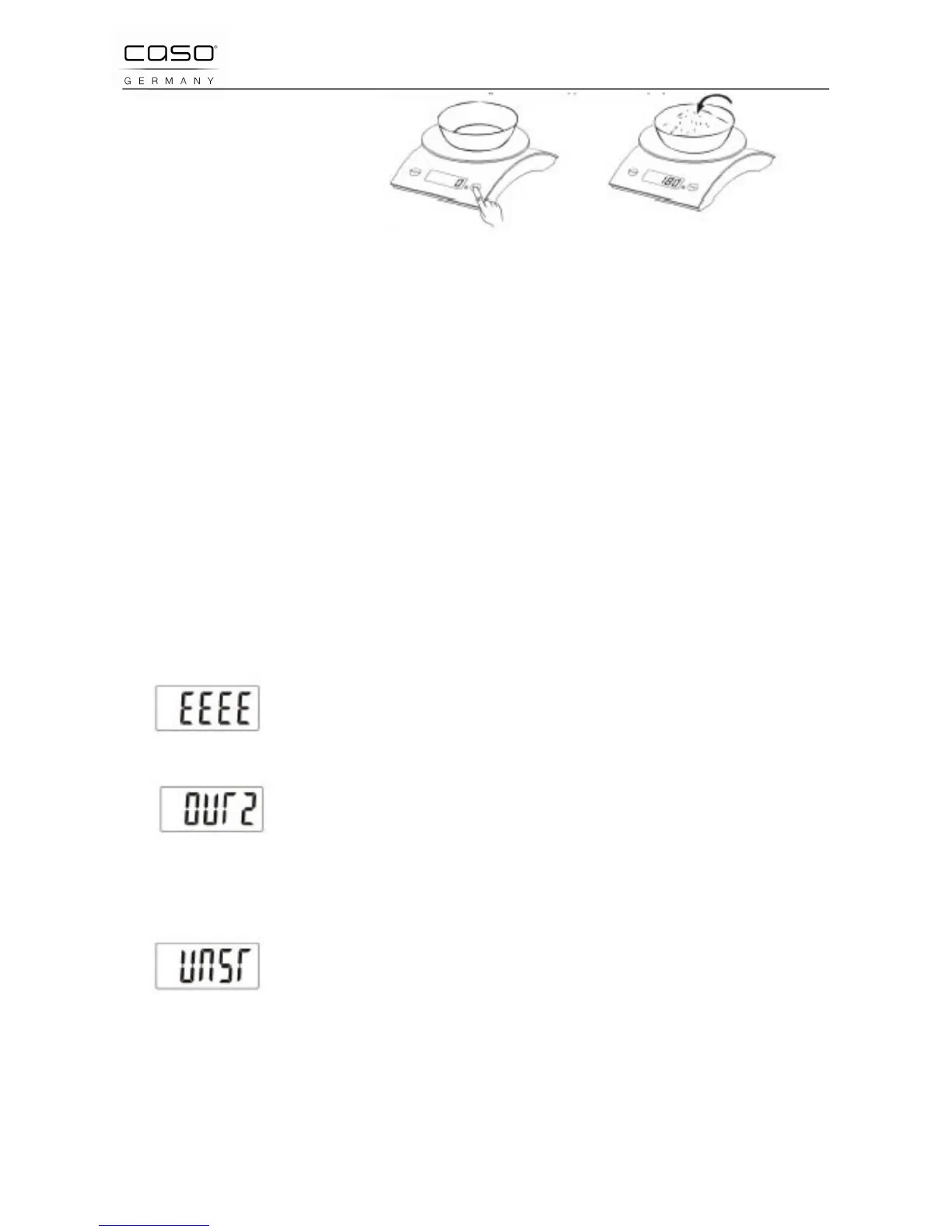
Press the key of „TARE“, LCD shows zero and clears
the weight of container. Then put the food into the container,
the weight of food will appear on the display.
4.3.3 Turning off
Push the key "Tare" after weighing to turn off the device.After 1
min. Not in use, the device switches off by itself.
4.3.4 Unit Exchange
The system is under the state of weight, press „MODE“ to
select between „g“ and „oz“.
4.3.5 Over Load Indicator
When the scale is overloaded, „EEEE“ will appear on the
display. (min. weight 20 g / 0,7 oz, Max. weight 5.000 g.)
4.3.6 Over Load Indicator in Tarafuntion
When the scale is overloaded, in Tare-mode, “OUT2” will
appear on the display. Please replace the container with a
smaller one.
4.3.7 Unstable weight indicator:
When the scale is in the unstable state, the LCD will indicate
"Unst. Put the scale on a hard flat surface, it will work normally.



 To Next Page