4.1 Power Supply
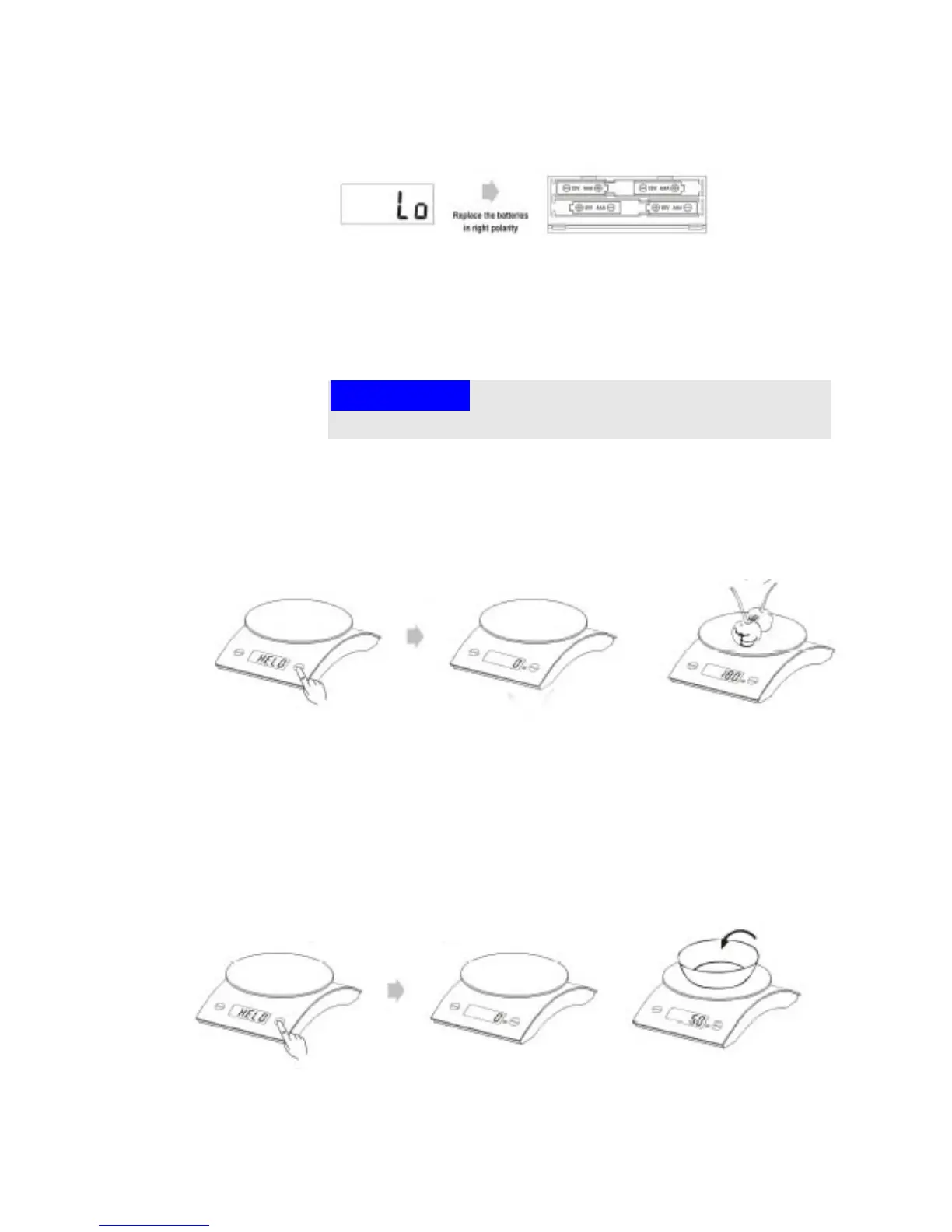
Open the battery cover and insert four new batteries (1.5 V,
AAA). Use correct polarity
4.2 Replacing the battery
When the LCD display indicates low battery, open the battery
cover and replace the batteries with new ones.
Please note
► Old and new batteries should not be mixed.
4.3 Operation
4.3.1 Weighing
Put the food on the scale surface.
Press the key "TARE", the scale displays zero shortly after
"HELO" appeared in the display
Place the item to be weighed on the weighing surface and the
corresponding weight is displayed.
4.3.2 Tarafunction
Under the weight state, put the container on the scale surface,
LCD will show the weight of container.



 To Next Page