7
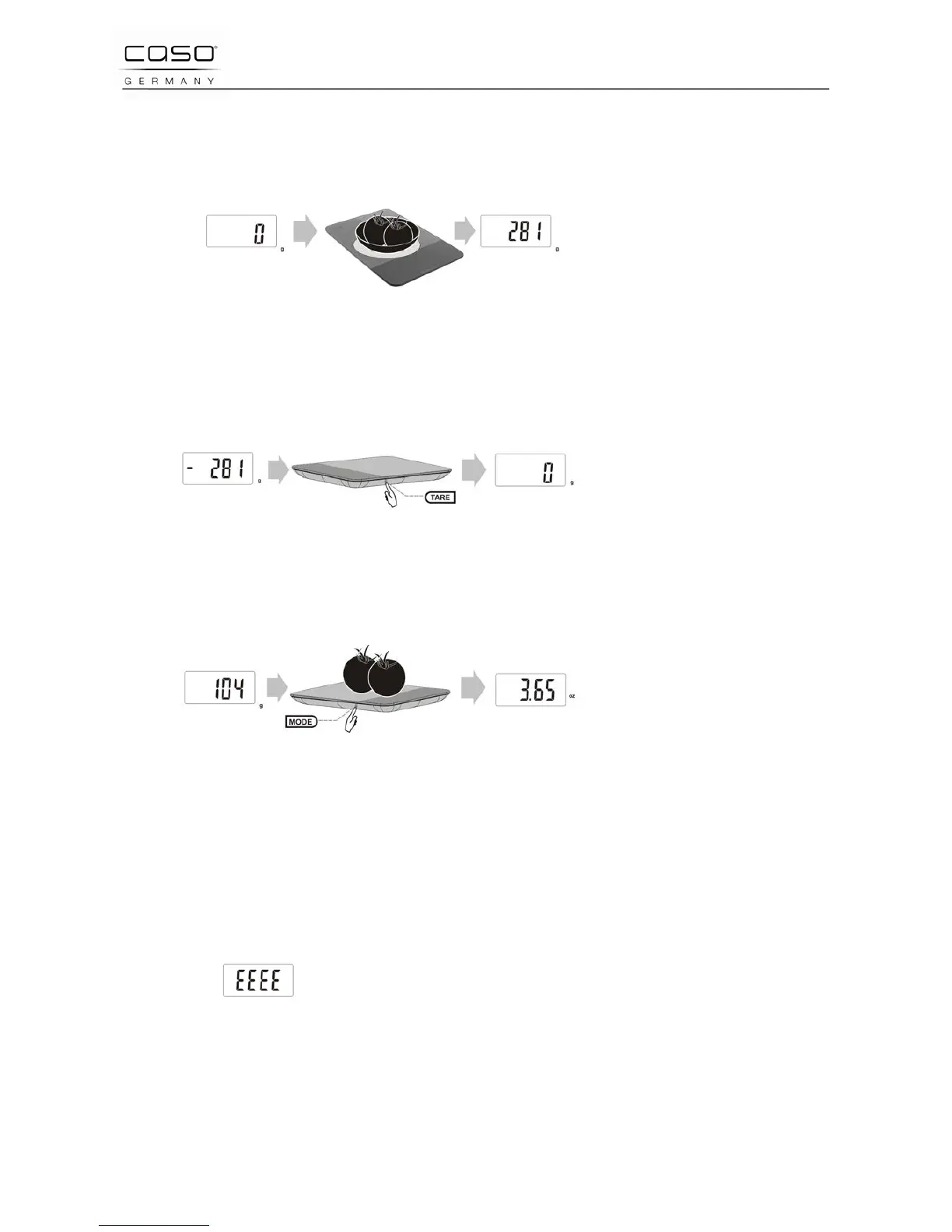
Place an empty container on the scale. The LED display will now show the weight of
the container.
Press the “TARE” button on the right side of the scale and the LED shows zero “0”
and clears the weight of container.
Next put the food into the container on the scale. The weight of the food only will
appear on the display.
Remove the food and the container and the scale will show the negative weight.
Press the “TARE“ button and the LED shows zero again.
4.3.3 Changing from grams to ounces
Press the “TARE” button on the right side of the scale to begin. The message
“HELO“ will appear on the display. The scale will then show zero (0)
On the left side of the scale press the “MODE “button to choose between grams (g)“
or ounces (oz).
4.3.4 Over Load Indicator
When the scale is overloaded the display will show the error
code of “EEEE“
5 Cleaning and Maintenance
This chapter provides important information on properly cleaning and maintaining
your scale



 To Next Page