Operation and Handling
caso Master E2 58
15.4 Operating the Appliance
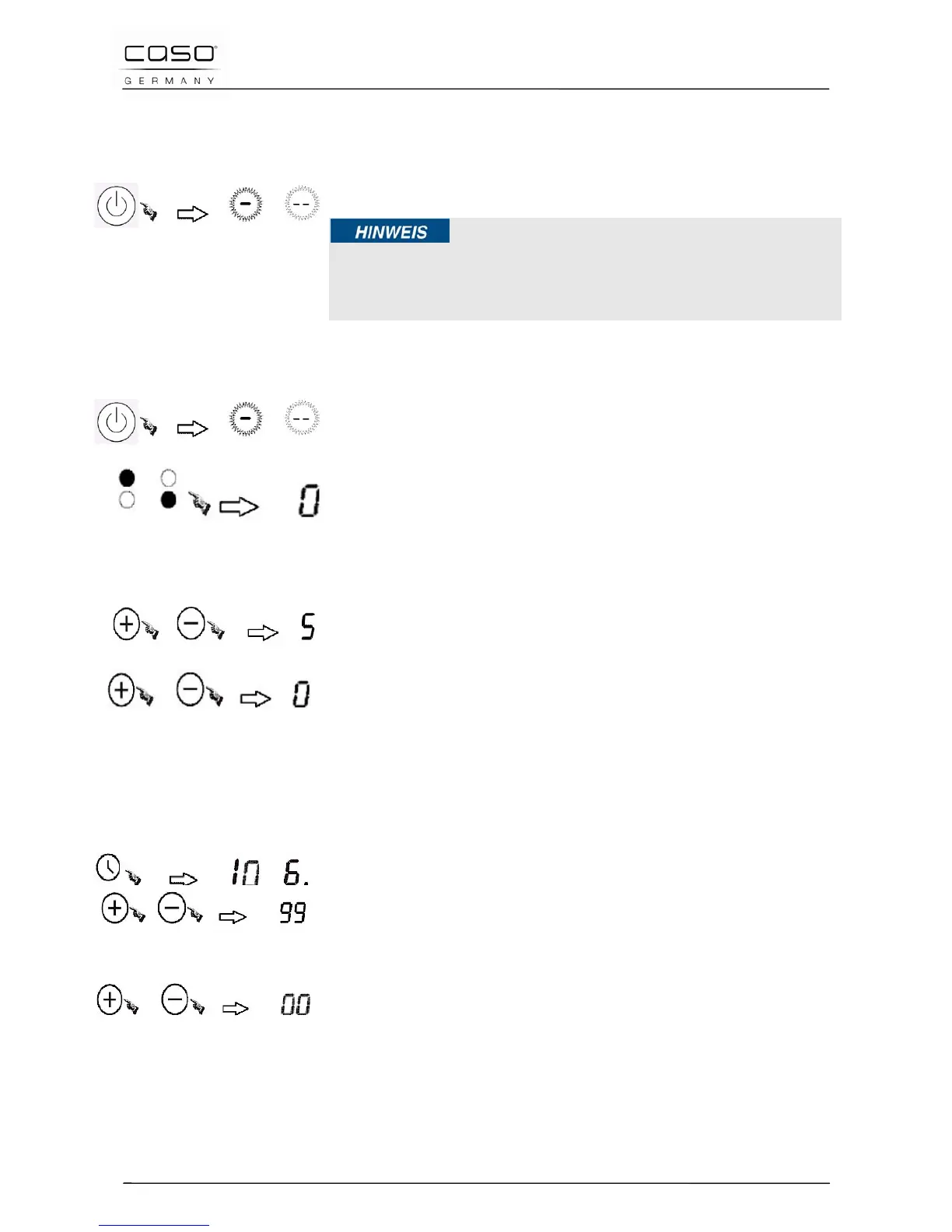
15.4.1 Switching Off
The complete appliance is switched off using the Master
On/Standby switch (1).
Please note
► Note that the appliance’s fan continues to operate for a while
after the appliance has been switched off in order to dissipate the
heat that has built up in the appliance.
15.4.2 Switching On
Press the Master On/Standby switch (1), the keys light up and
an acoustic signal sounds. Now the device is in standby mode.
Place a suitable cooking pot with its contents to be cooked on the
centre on the hob (Ø 140 mm - 180 mm). Now select the
appropriate hob with the selection button (3).
15.4.3 Power Stage
Press the selection key +/- (2) as long as necessary to select
the power stage (Indicator lamp showing correct power stage).
The preset power stage "5" is selected and the device turns on.
With the + / - Keys (2), you can change the settings at any
time in a range from 1 – 9.
If you press both selection buttons + / - Keys (2)
simultaniously, the power stage “0” will be selected.
15.4.4 Timer
After selecting the power level, select the timer button (4).
The display shows the number "0". With the + / - keys (2), you
can now select the operating time in 1-minute intervals (up to
max. 99 minutes).
If you press the the + / - keys (2) longer, you can select the
operating time in 10-minute intervals.
If you press + and – simultaneously, the timer starts at “00”.
Once the time is up, an acoustic signal sounds and the device
automatically goes into standby mode.


 To Next Page