OPERATION
FS-2000 Battery Scrubber (10--04)
7
MACHINE SETUP
PRE--OPERATION CHECKS
1. Sweep and dust mop floor.
2. Check battery meter charge level to ensure
batteries are fully charged (See BATTERY
CHARGING).
3. Check that a pad/brush is installed.
4. Check that squeegee is installed.
ATTACHING SQUEEGEE
1. Pull back on squeegee lift lever to raise squeegee
mount bracket.
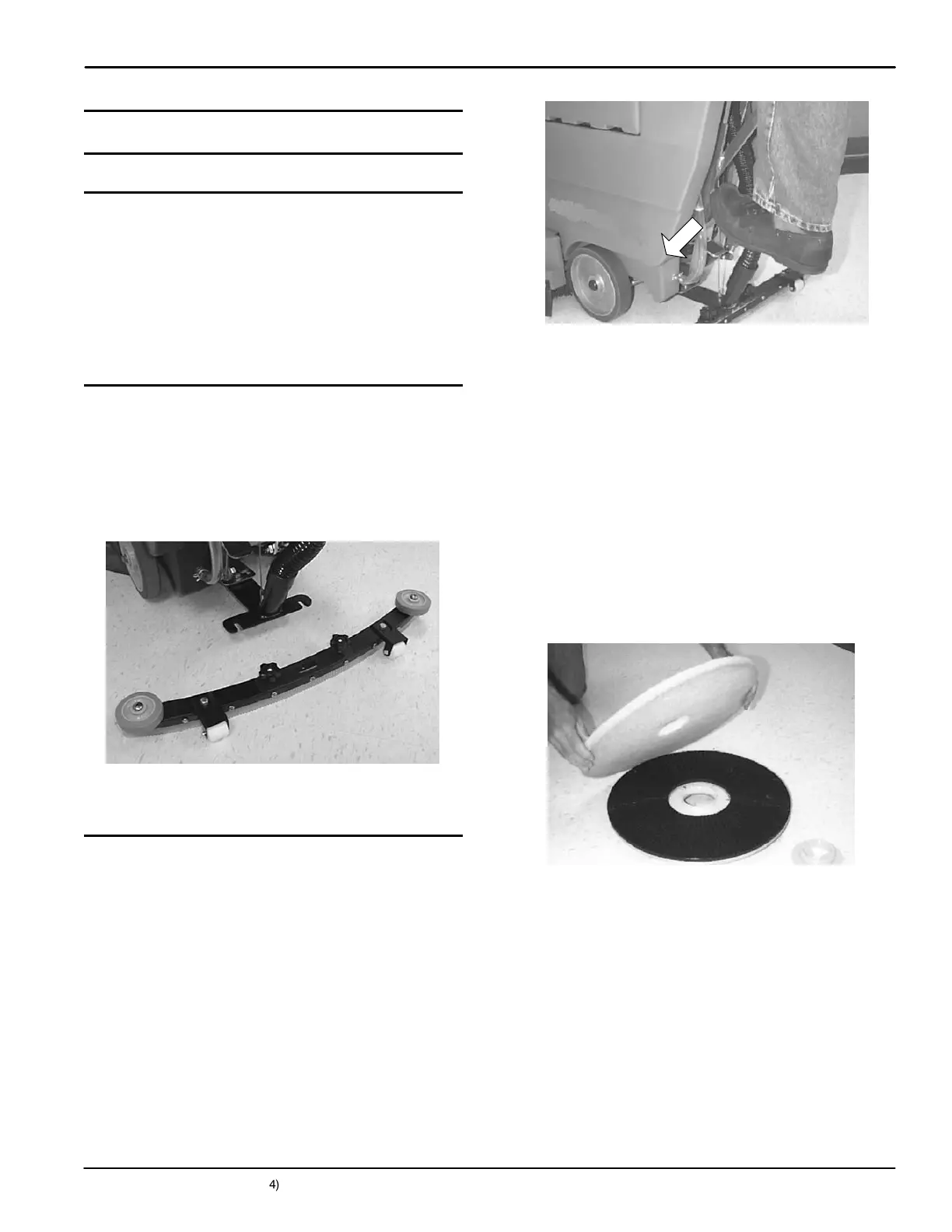
2. Loosen two thumb knobs on squeegee and slide
squeegee into slot at rear of squeegee mount
bracket. Make sure that squeegee roller wheels
are facing toward the rear (Figure 3).
FIG. 3
3. T ighten thumb knobs securely.
INSTALLING BRUSH OR PAD DRIVER
1. T urn machine off.
FOR SAFETY: Before leaving or servicing
machine, stop on level surface and turn off
machine.
2. Lower brush head. Step down firmly on top pedal
and push pedal forward to lower (Figure 4).
FIG. 4
3. Position squeegee swivel mechanism so it’s
centered behind machine.
4. T ilt machine back to access motor hub.
ATTENTION: Do not leave machine tilted back for
an extended time. Battery acid may leak.
5. Select a recommended pad or brush that best
meets your cleaning needs.
NOTE: Consult your authorized distributor for pad and
brush recommendations.
6. (For Pad Installation) Attach pad to pad driver
before installing driver to motor hub. To attach
pad, remove plastic centerlock from pad driver
and position pad centered on driver, replace
centerlock securely (Figure 5).
FIG. 5


 To Next Page