[Type here] [Type here] [Type here]
9.3
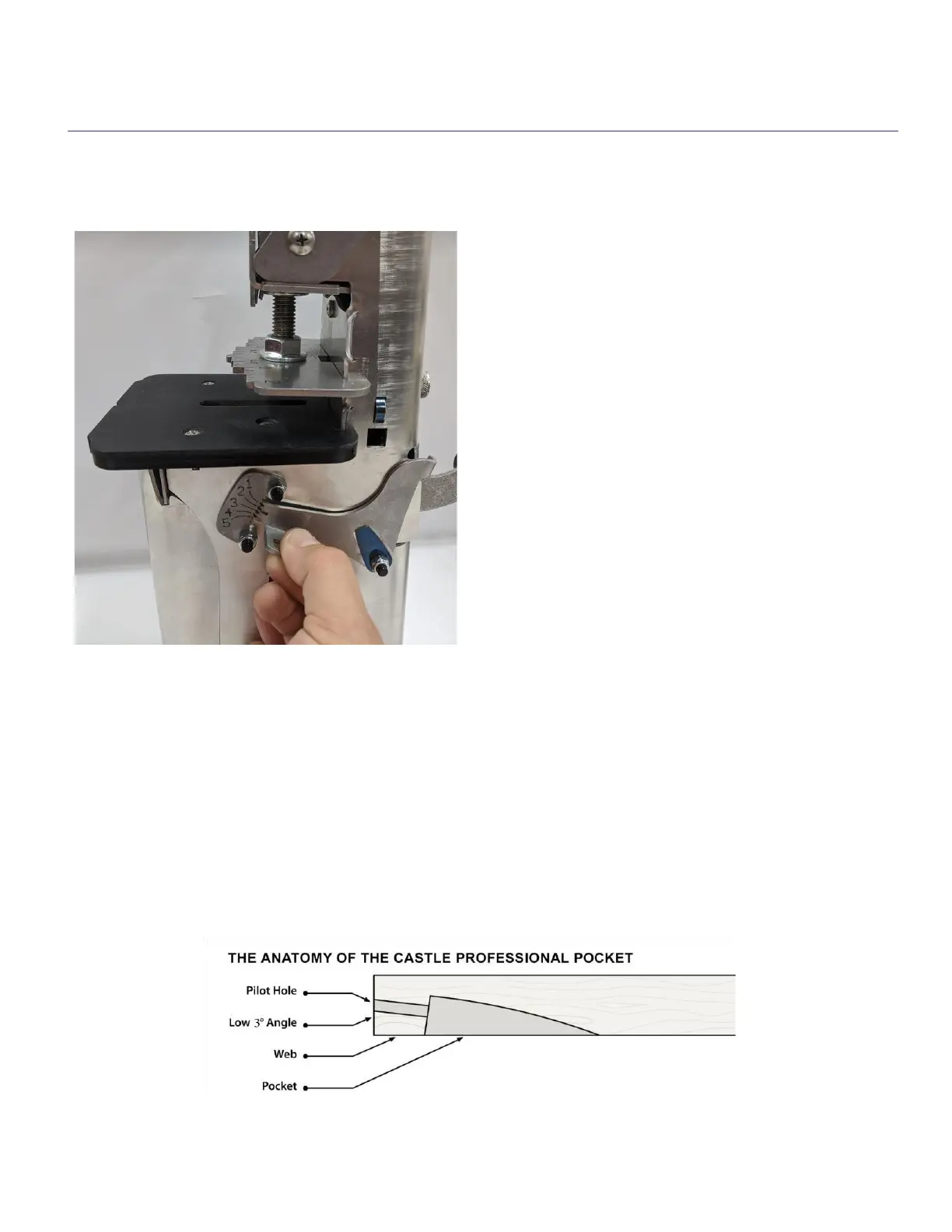
Web Adjustment
The distance between the edge of the
stock and the end of the pocket is referred
to as the web. The width of the web
determines how much of the screw thread
will protrude for the pocket into the piece
to be joined and in general, a narrower
web is used shorter screws and a wider
web for longer screws. To adjust the web
closer to (narrow web), or further (wide
web) from the edge of the stock, pull out
on the web adjustment lever and move
the indicator to the appropriate setting
(1,2,3,4, or 5). Setting 5 will produce the largest web while setting 1 forms the
smallest web. Testing should include cutting a pocket and joining two pieces
together with the intended screw to confirm proper thread engagement. This is a
trial and error method until you get the pocket where it suits you best. When the web
is set correctly, the threads of the screw will protrude past the end of the work to
fully engage the part to be joined.


 To Next Page
 Loading...