TSM-35 Screw Pocket Machine Troubleshooting
35.20 Clamp does not come down, but router and drill cycle:
!***ALWAYS DISCONNECT POWER WHEN CHECKING SOLENOIDS ***!
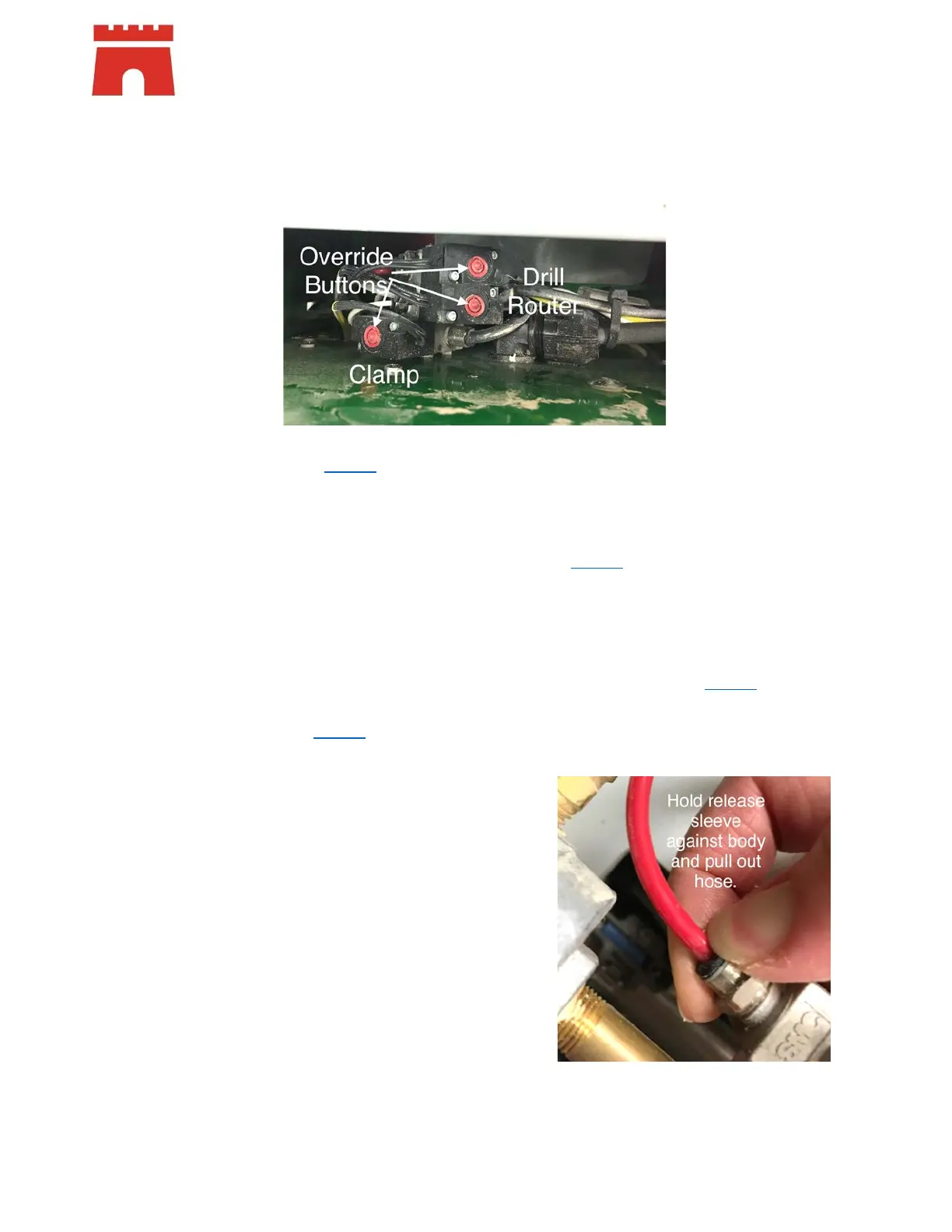
• Check the clamp solenoid (P21224) – first of the stack. The solenoids are located inside the case of
the machine, behind the control box.
o Press the red manual override button
Listen for air leaks and look for loose hose
If the clamp goes down, change the solenoid (P21224
) – it is not working electrically
If the clamp does not go down, remove the hose from the top of the clamp and
override again. (It is a push in fitting, hold the plastic ring at the end of the fitting
down to the fitting, and pull out the hose. When replacing the hose, push hose in
firmly – no need to hold the ring.)
• If there is air out of the hose, change the clamp cylinder (P00215
)
• If there is no air coming out of the hose, change the clamp solenoid
(P21224
)


 To Next Page
 Loading...