TSM-35 Screw Pocket Machine Troubleshooting
If no air leaks, change the solenoid. (P49410)
o If the router does not move when the override button is pushed,
check to make sure air is coming out of the solenoid:
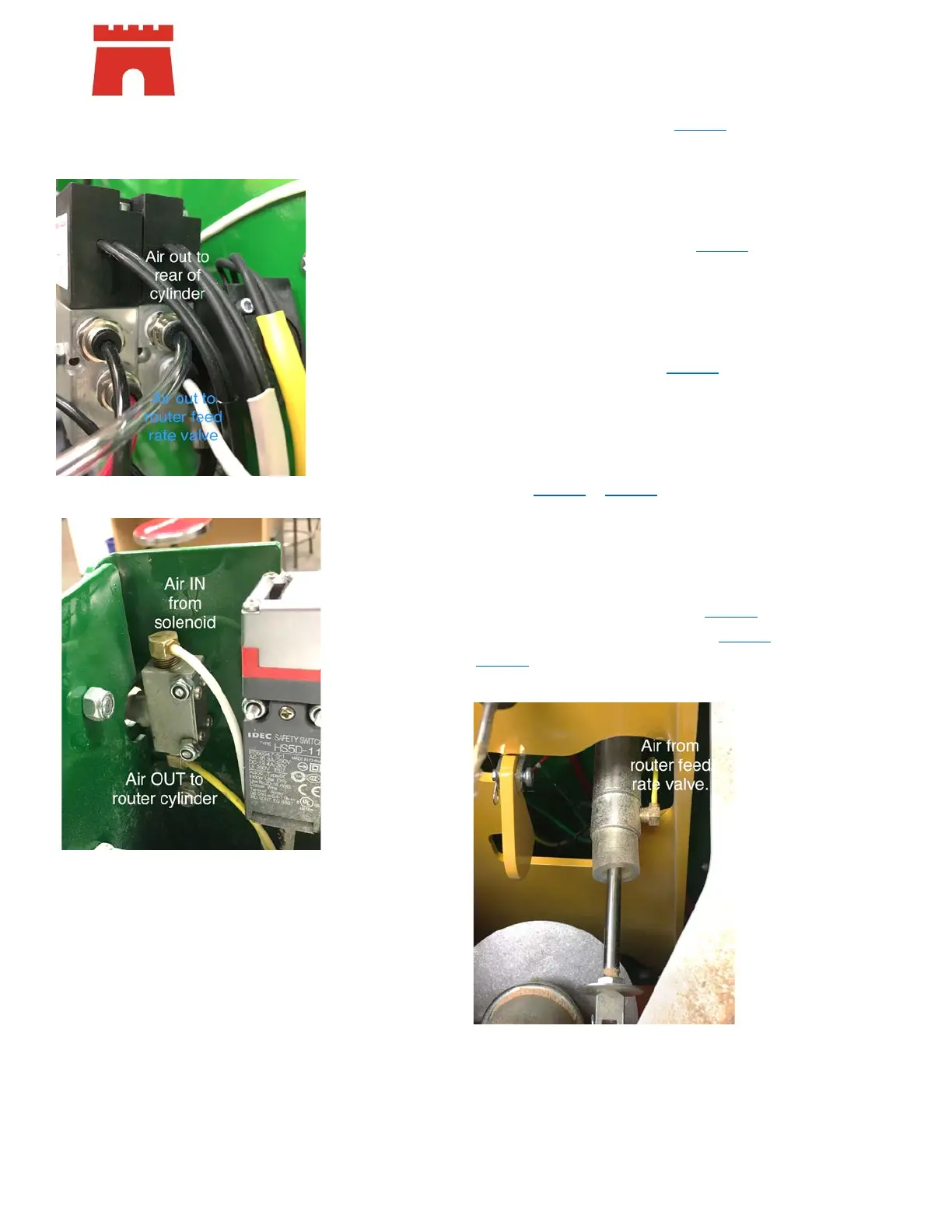
Remove the air line from port #4 (air out to router feed rate
valve) and override.
• If no air – replace the solenoid (P49410
)
• If air, reinsert the air line in fitting
Remove air line from the top of the router feed rate valve
and override
• If no air – replace the hose between the solenoid
and router feed rate valve (P35018
)
• If air, reinsert the air line on fitting
Remove the air line from the bottom of the router feed rate
valve and override
• If no air – replace the router feed rate valve and
fittings (P00117 & P18165
x2)
• If air, reinsert the air line on fitting
Remove the air line from the bottom (operator end) of the
router cylinder and override
• If no air – replace the air line between the router
feed rate valve and the cylinder (P16181
)
• If air – replace the router cylinder (P35300 / or
C35021 assembly)


 To Next Page
 Loading...