Application and Installation Guide EMCP 4 SCADA Data Links
©2013 Caterpillar
All rights reserved. Page 10
3 TCP/IP SCADA DATA LINK – WIRING AND CONFIGURATION
Ethernet TCP/IP networks are very common. However, they may be more complicated to set up,
especially when connecting to an existing network. In that case, it is critical to have the support of a
network administrator when connecting the EMCP 4 to the network.
3.1 NETWORK TOPOLOGY
Ethernet supports many topologies. Bus or daisy-chain is one, which is also supported by RS-485
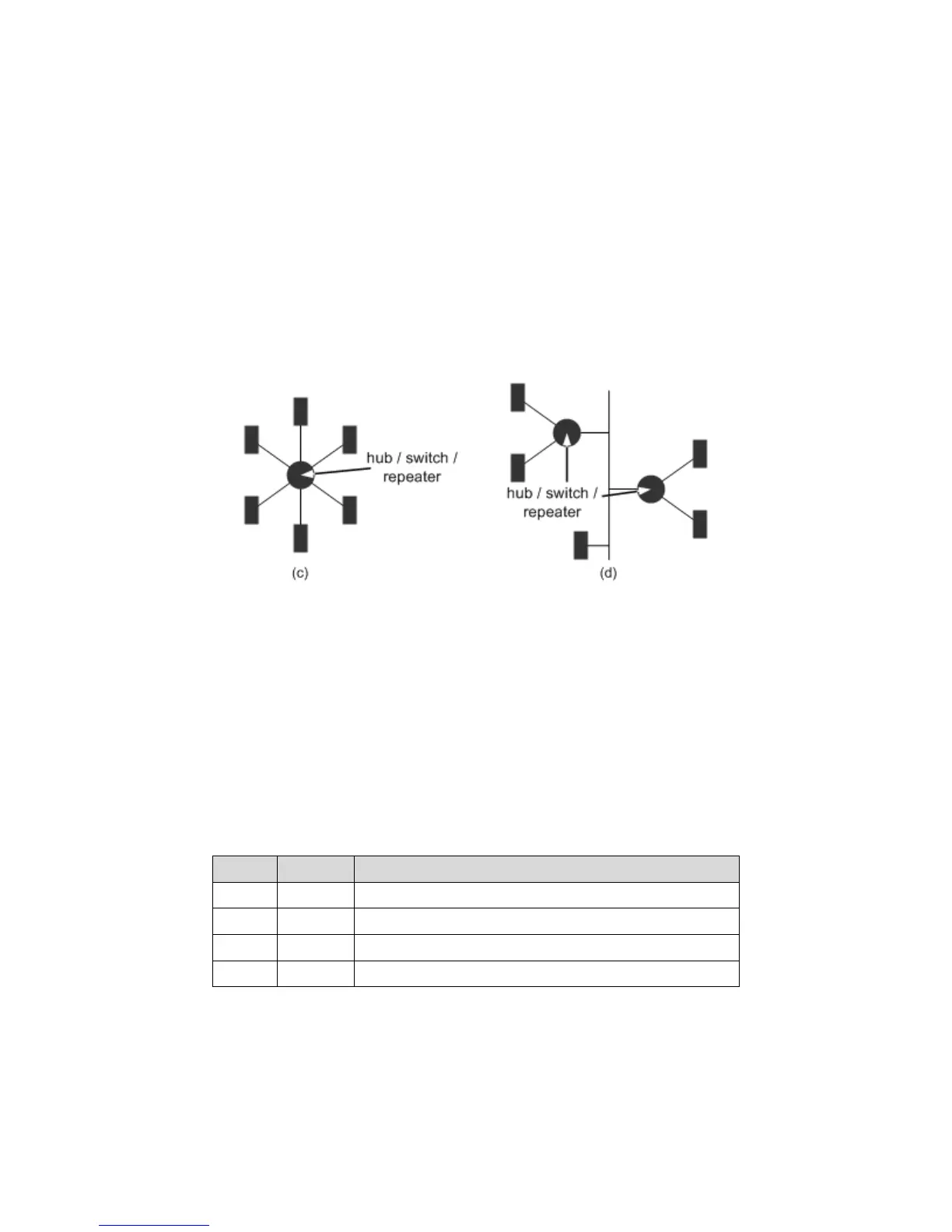
networks. Others include star topology, and tree topology. See Figure 3-1 for an illustration of each.
F
IGURE 3-1: NETWORK TOPOLOGIES - (C) STAR, (D) TREE
The limits on the length are 330ft (100m) between farthest devices unless separated by a hub, switch, or
repeater. Those extend the network, and the TCP/IP data link allows for an unlimited number of such
extensions.
3.2 WIRING (INCLUDING SWITCHES, ROUTERS, ETC)
The TCP/IP SCADA Data Link uses a 10BaseT connection to an Ethernet network. It requires a minimum
of Category-5 (Cat5) cable, but Category-5e or Category-6 are also permitted. Connection to a network
supporting 100BaseT only requires the addition of a 10/100 hub or switch between the EMCP 4 and the
network. It uses four-wire communications. It requires two twisted pairs of conductors (Rx+ and Rx-, Tx+
and Tx-). See Table 3-1 for the pins on the EMCP 4.3 and 4.4.
T
ABLE 3-1: EMCP 4.3 AND 4.4 SCADA PINOUT
Pin # Name Description
87 ETH1-3 Ethernet differential non-inverting transmit line (Tx+)
88 ETH1-1 Ethernet differential non-inverting receive line (Rx+)
97 ETH1-2 Ethernet differential inverting receive line (Rx-)
98 ETH1-4 Ethernet differential inverting transmit line (Tx-)
CROSSOVER CABLES
Because the receiving lines on one device need to be connected to the sending lines on another, it is
possible, if connecting directly to only one device, that a crossover cable will be required. Fortunately, many
PC Ethernet adapters automatically detect and internally crossover; the EMCP 4 also automatically detects
and does internal crossover. If unsure, either try an Ethernet crossover cable, or consult the device



 To Next Page
 Loading...