Application and Installation Guide EMCP 4 SCADA Data Links
©2013 Caterpillar
All rights reserved. Page 11
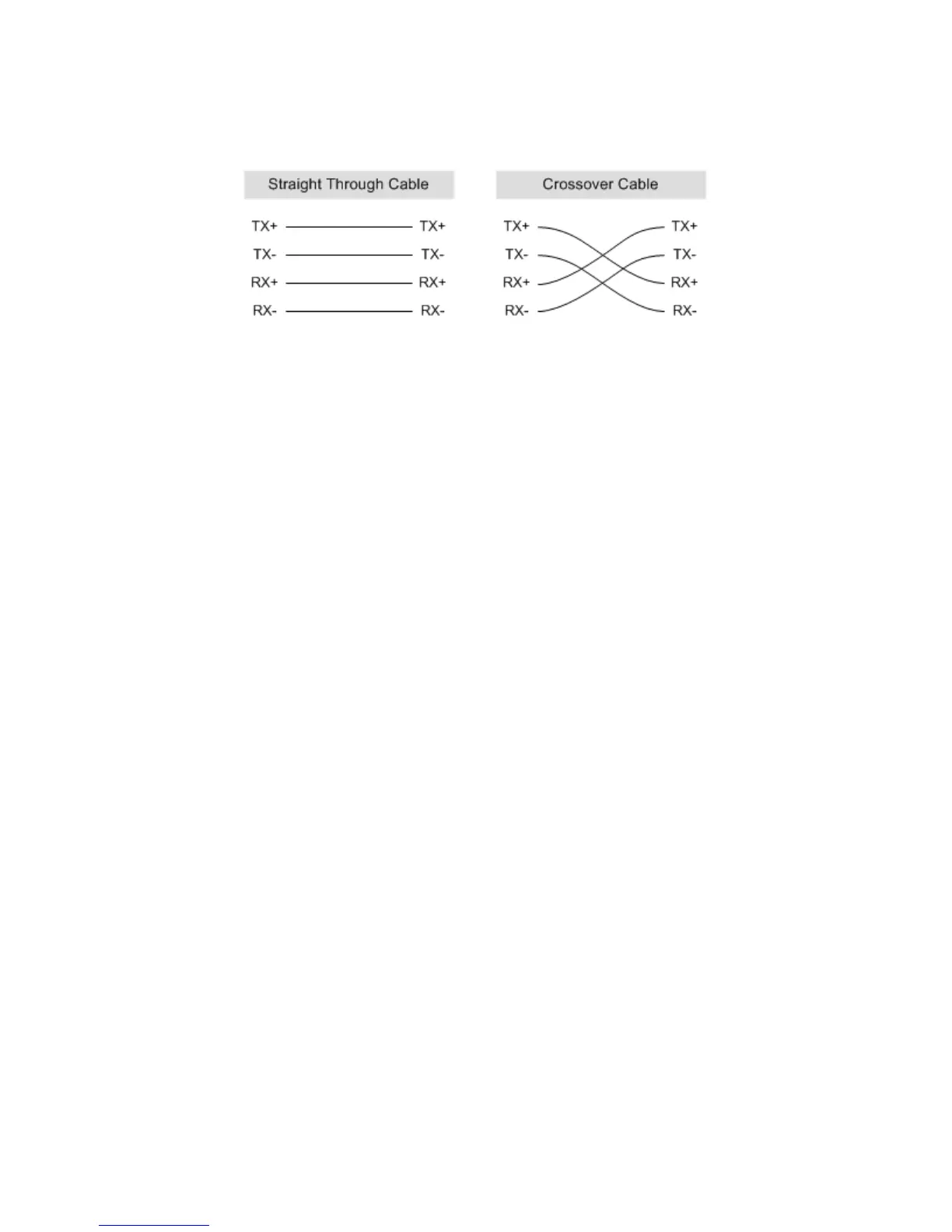
documentation. Note that a crossover cable is not required if connecting through a hub, switch, or repeater.
See below for an illustration of the difference between a standard (straight through) and crossover cable.
3.3 SOFTWARE CONFIGURATION
Before devices will communicate, there are some software configuration steps on the EMCP 4 and on
any other devices on the Ethernet network. Consult your network administrator for the proper or allowed
settings for a shared network. Consult the EMCP 4 Application and Installation Guide for more details on
configuring setpoints via the display or ET. The EMCP 4 setpoints are located in the menu structure
under CONFIGURE > ALL SETPOINTS > NETWORK > TCP/IP SCADA.
IP ADDRESS
The IP address is a unique identifier for each device on an Ethernet network. The default setting for the
EMCP 4 is 0.0.0.0.
NOTE: The default IP address is not valid, and
MUST be changed before the EMCP 4 will
communicate.
The TCP/IP data link on the EMCP 4 supports static IP addressing only. If connecting to a network that
doesn’t support (or allow) static IP, a gateway device (such as a router or switch) must be used between
the EMCP 4 and the network.
NETWORK MASK
The network mask is a property of each Ethernet network. Consult your network administrator for the
proper network mask to use. The default setting for the EMCP 4 is 0.0.0.0. Every device on the network
should have the same network mask (although it is not absolutely required). Common values are
255.255.255.0 and 255.255.0.0.
DEFAULT GATEWAY
The default gateway is the IP address of a gateway device, if one exists on the network. If not, the default
gateway can be set to any IP address; however, in that case it is important to set it to a unique IP address –
one that is not addressed to any device on the network. The default setting for the EMCP 4 is 0.0.0.0. Every
device on the network should have the same default gateway setting (although it is not absolutely required).
3.4 ERROR CHECKING
Error checking is usually invisible to the user in TCP/IP. It does not use a Cyclic Redundancy Check
(CRC) like RS-485. Instead, error-checking is handled in the TCP wrapper. The TCP/IP driver checks
packets for consistency, and requests the sender to re-send if there are any problems. This happens
“automatically”. Although this can add delays in the final receipt of the message, those delays are more
than compensated for by the high data transmission rate of 10baseT Ethernet (which is 10Mbps for
EMCP 4, as opposed to 56kbps on RS-485 for EMCP 4).



 To Next Page
 Loading...