Application and Installation Guide EMCP 4 SCADA Data Links
©2013 Caterpillar
All rights reserved. Page 49
F
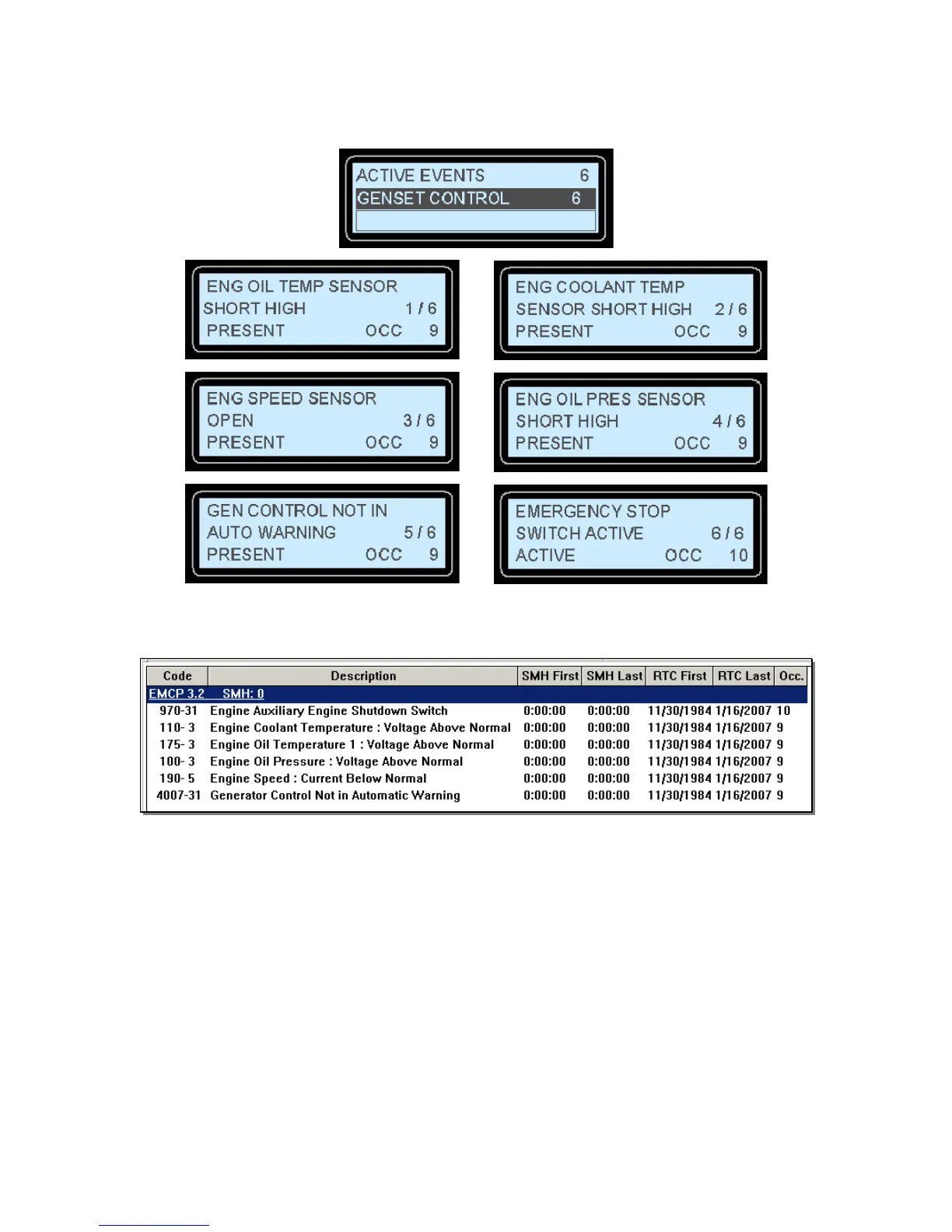
IGURE 7-6: EMCP 4.2 DISPLAY EVENT LOG EXAMPLE
The same events can be viewed on the Caterpillar Service Tool by selecting the Logged Diagnostic
Codes button on the toolbar.
READING THE GENSET CONTROL EVENT LOG
Following are the steps required to read EMCP 4 events for the GSC module. Similar steps can be
followed to read events for other modules. Only step 1 below will differ, by choosing a different module.
Refer to Appendix A for the definition of registers 1498 (Event Log Module Selection Command) and
1499 (Event Log Module Selection) for the list of modules that can be selected.
1. Select Module 0 = Genset Control by writing to register 1498.
Query from PC 01 06 05 D9 00 00 58 FD
EMCP Response 01 06 05 D9 00 00 58 FD


 To Next Page
 Loading...