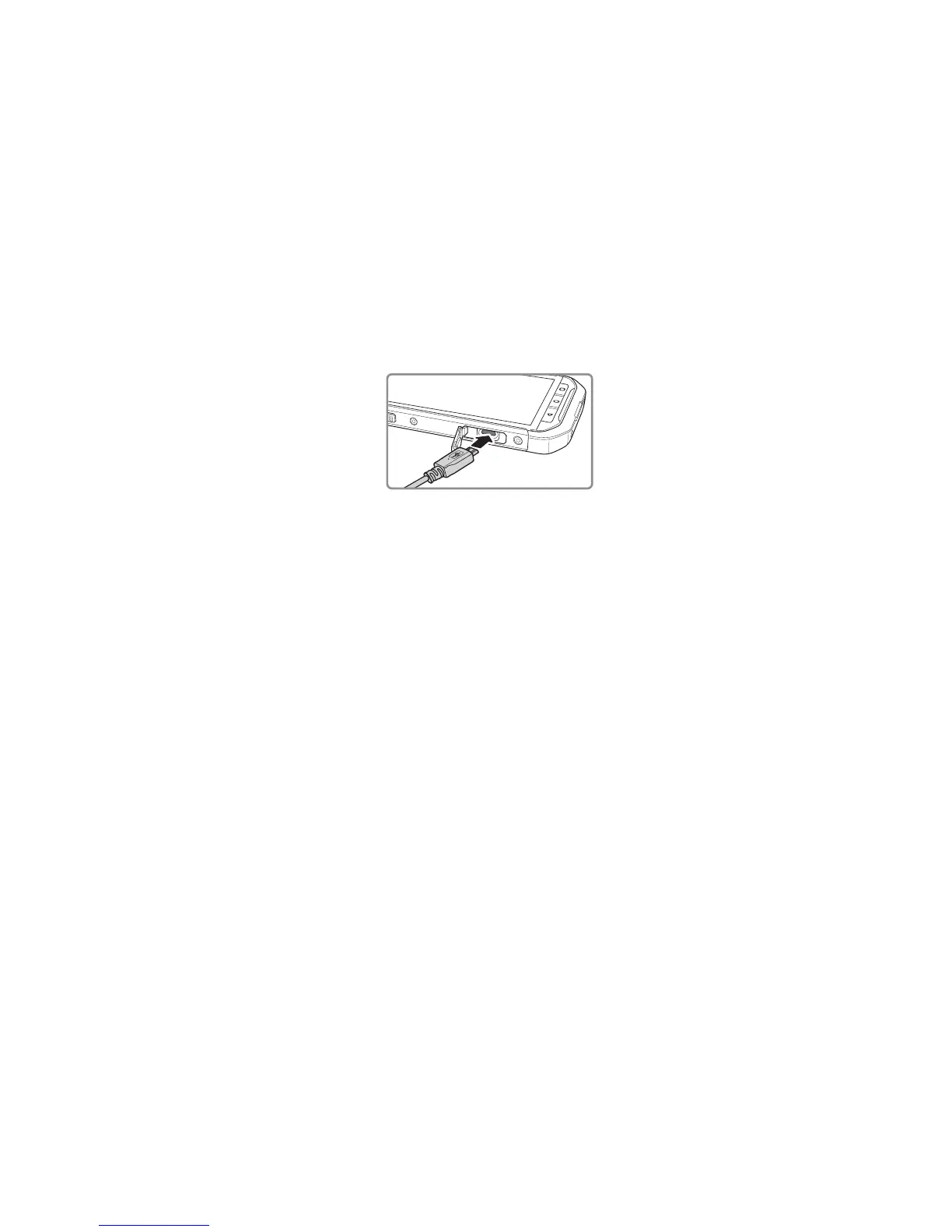
Charging the Battery
The S40 has an embedded battery, to charge the battery:
1. Connect the USB cable that came with your mobile phone to the charger.
Note:
Use only Cat
®
approved chargers and cables. Unapproved equipment may cause damage to the
device or cause batteries to explode.
2. Open the USB port cover. Connect the USB cable to the USB port of your phone.
Note:
Be careful not to use excessive force when plugging the USB cable.
Be aware of the correct orientation of the plug. Damage can be caused by attempting to insert the
connector incorrectly, this is not covered by the warranty.
3. Connect the USB to the appropriate AC mains plug and connect safely to the mains power
supply.
4. When charging is complete, remove the connector from the device and then remove the wall
charger.
Note:
If the battery is completely discharged, it may take a few minutes before the charging icon appears.
Important Information About the Battery
If the battery has not been used for a long period of time, you may not be able to power on
your mobile phone immediately after you begin charging the battery. Allow the battery to
charge for a few minutes with the phone powered off before attempting to power on the
phone. The on-screen charge animation may not be displayed during this period.
The time required to charge the battery depends on the environmental temperature and the
age of the battery.
When the battery power level is low, the phone plays an alert and displays a prompt. When the
battery power is almost exhausted, your phone will power off automatically.



 To Next Page