6
4. COLLECTING DATA
COLLECTING LIVE DATA (GPS/GNSS)
A Live Activity is an Activity being analysed in real time whilst the Devices are being used; this is achieved
via Data being collected through the Vector receiver (GNSS) or Anchors (LPS). Live Activities are extremely
useful to be able to provide real time feedback on Athlete Performance.
1. Ensure the devices, console and receiver are all set to indoor or outdoor mode.
2. Turn on the wireless receiver(s) and the Vector devices.
3. Map each of the devices to their corresponding athlete via the Settings menu – Mappings Tab in
the console.
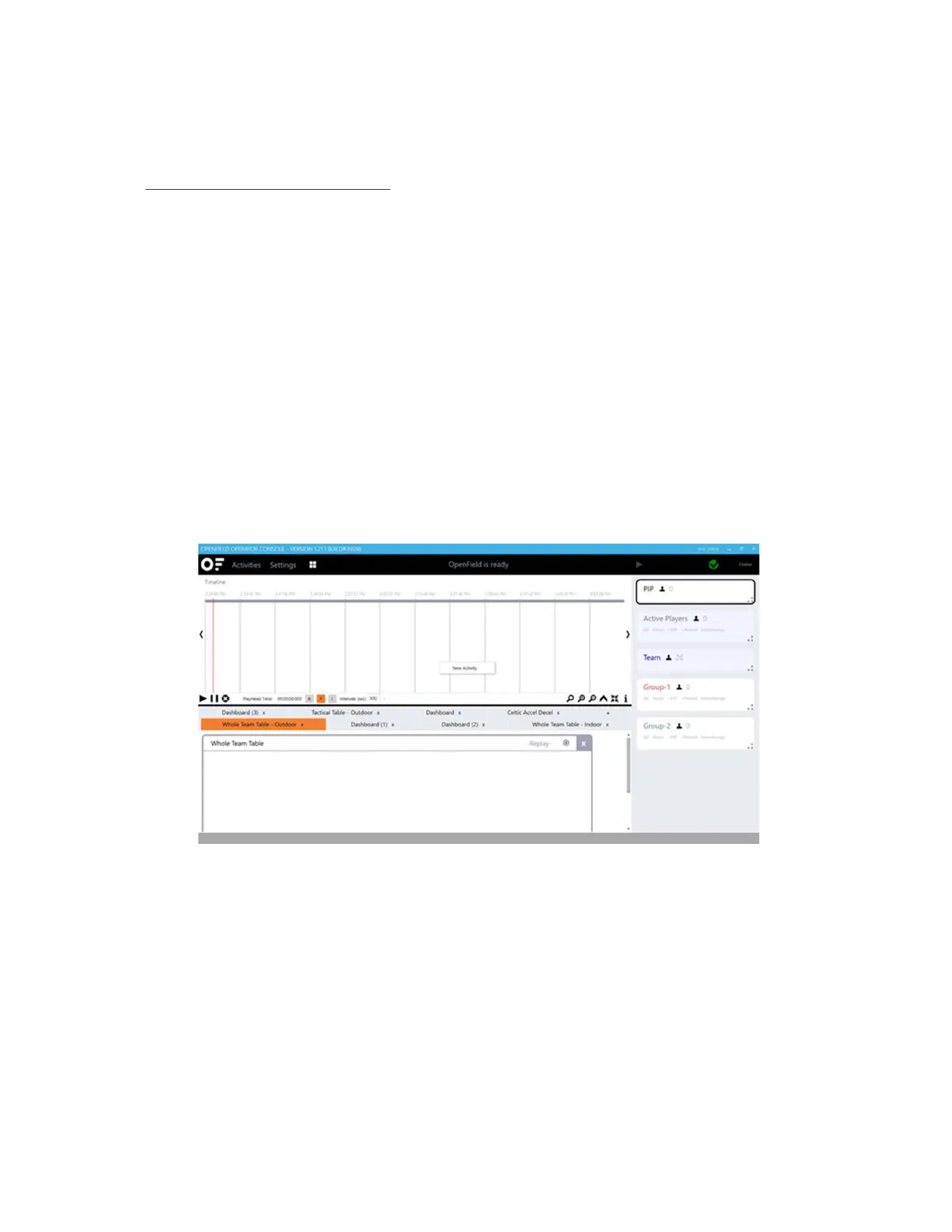
4. From the main user interface in the console, select Start to begin a new Live Activity.
5. Create a New Activity via the Activity Timeline by right clicking in the timeline area and selecting
New Activity. From the new activity menu, fill in all of the details for the session such as Name,
device type, venue, teams, ect. Select ‘Create Activity’.
6. Hit the 'Play' Button up the top right of the User Interface; Once hit the button will change to a
'Pause' Button


 To Next Page