7 VECTOR USER GUIDE
VECTOR
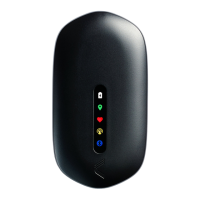
VECTOR DEVICE
USING THE VECTOR DEVICE
• Ensure Vector devices are charged prior to use
• Place all Vector Devices in Vector Dock and press
the dock Ignition button to turn devices on
• The GPS indicator on the device will illuminate
white indicating ready to use
• Remove devices from the dock, devices will auto
power-up and begin recording
• Insert Vector Device into the Vector garment
pocket, in the correct orientation
• Check device indicators are solid to ensure
data is recording


 To Next Page