EasyManua.ls Logo

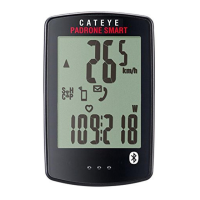
Cateye Padrone Smart + CC-SC100B - User Manual

Cateye Padrone Smart + CC-SC100B
154 pages
Print Icon
To Next Page IconTo Next Page
Loading...
Usage Instructions
For troubleshooting related to the smart computers or to Cateye Cycling™, see "Frequently
Asked Questions".
* For explanatory purposes, in this manual red text/icons on the smart computer screen
represent flashing items.
* The display screens and illustrations used in this manual are provided for instructional
purposes only. Actual screens and illustrations may differ depending on devices used.
* The online manual and YouTube videos for this product are subject to change without
notice.
To use Padrone Smart+, the “Cateye Cycling™” smartphone application (free of charge) is
required.
For the latest information on the smartphones that are compatible with Cateye Cycling™
operations, see “Cateye Cycling™ Recommended Devices”.

Table of Contents

Question and Answer IconNeed help?

Do you have a question about the Cateye Padrone Smart + CC-SC100B and is the answer not in the manual?

Summary

Initial Setup and Device Pairing

Checking Package Contents

Verify all components are included in the product package.

Install Cateye Cycling App

Download and install the required smartphone application.

Pairing Smart Computer and Sensors

Connect the smart computer and any optional sensors via Bluetooth.

Mounting Hardware and Sensors

Securely attach the bracket, speed/cadence, and heart rate sensors.

Measurement Operations and Modes

Understanding Mirror and Sensor Direct Modes

Learn how the smart computer operates with or without a smartphone.

Starting and Managing Measurement

Covers connecting the smartphone, starting, pausing, and finishing rides.

Advanced Measurement Functions

Utilize Lap, Countdown, and Auto Pause features for enhanced tracking.

Power Sensor Integration

Display and utilize power data from compatible sensors.

Data Management and Settings Configuration

Viewing and Uploading Activity Data

Access, review, and share recorded trip and summary data.

Configuring General Measurement Settings

Adjust recording intervals, units, and preset altitude.

Customizing Device Display and Notifications

Personalize measurement screens and manage smartphone notifications.

Account and Service Site Setup

Link accounts for uploading activities to online services.

Troubleshooting and Support

Common Measurement and Display Issues

Resolve problems like abnormal displays, blank screens, or missing data.

Connectivity and Sensor Signal Problems

Troubleshoot issues with smartphone connection and sensor signal reception.

Device Operation and Restart Procedures

Learn how to handle abnormal computer operation and perform restarts.

Handling, Specifications, and Warranty

Information on product care, technical details, and warranty coverage.

Cateye Padrone Smart + CC-SC100B Specifications

General IconGeneral
Display TypeLCD
BatteryCR2032
Water ResistanceIPX7
Smartphone CompatibilityiOS and Android
MountingHandlebar mount
Battery LifeApproximately 4 months
Wireless CommunicationBluetooth Smart
FunctionsSpeed, cadence
ConnectivityBluetooth

Related product manuals