Choose one of the above methods. Take USB supply as example, plug the
jumper cap and connect screen flat cable. The screen will light up.
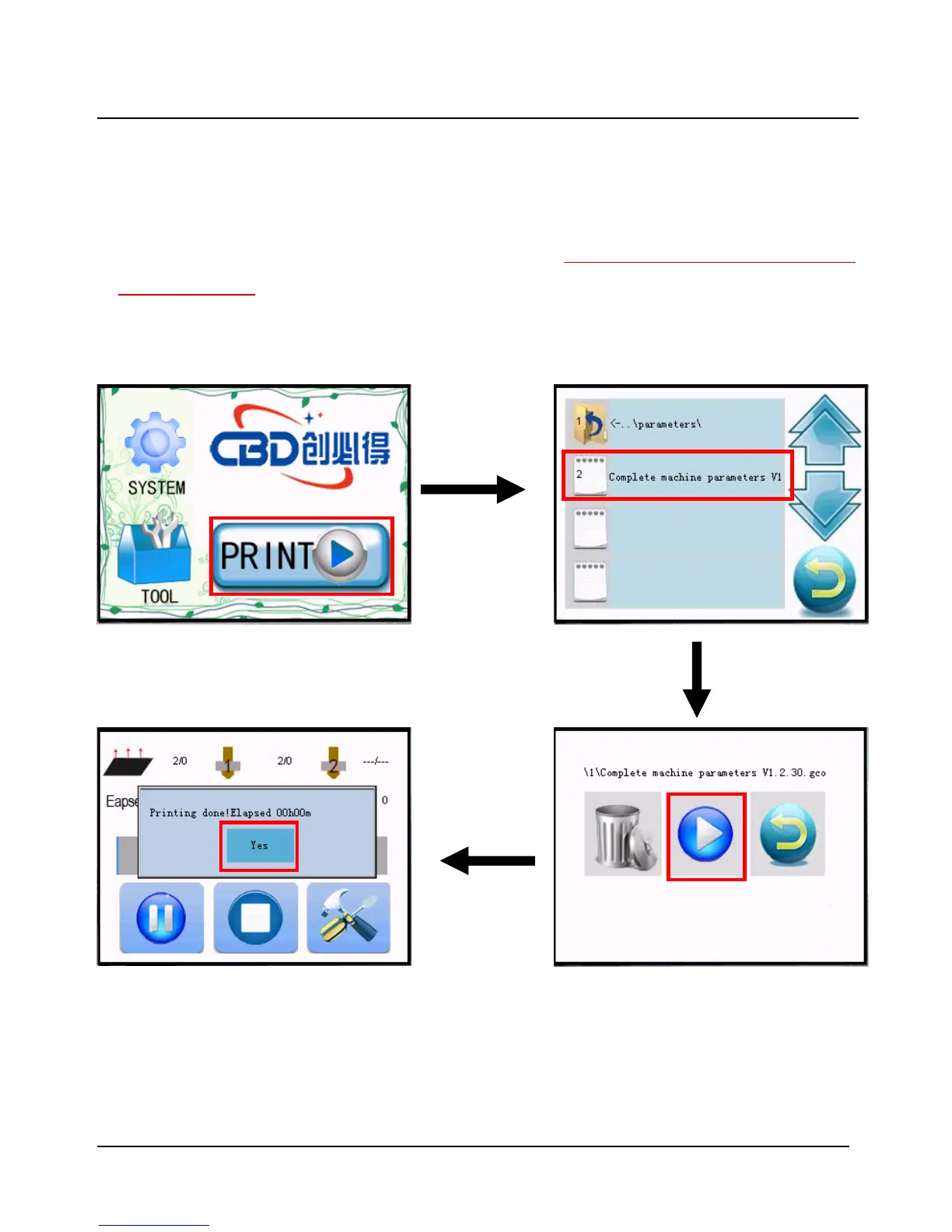
After the SD card is plugged, choose the file of Complete machine parameters
V1.2.30.gcode and print. When printing is finished(about 2s-3s), the firmware
parameter is updated, shown as following figure.


 To Next Page