Need help?
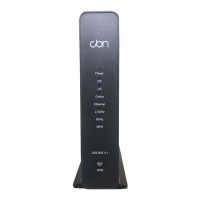
Do you have a question about the CBN CH8679 and is the answer not in the manual?
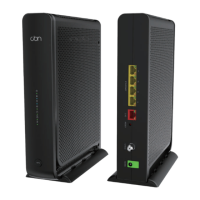
Connect the modem to a cable outlet or splitter using a coaxial cable.
Plug the power adapter into the modem's power port and then into a wall outlet.
Connect your computer or mobile device via Ethernet or Wi-Fi using default network name and password.
Access the CH8679 Configuration Manager via http://192.168.0.1 to change network name and password.
Connect other wireless devices using the network name and password configured in Step 4.
Find ISP contact information for troubleshooting or support if needed.
Information on FCC caution, modifications, and radiation exposure limits for the device.
Information regarding IC radiation exposure limits and compliance for the device.
 General
| Model | CH8679 |
|---|---|
| Frequency Bands | 2.4 GHz, 5 GHz |
| Category | Modem |
| Ethernet Ports | 4 |
| Interface | Ethernet |
| Supported Networks | Cable |
| Data Transfer Rates | Up to 1 Gbps |
| Operating Systems Supported | N/A (Hardware device, OS independent) |

 To Next Page