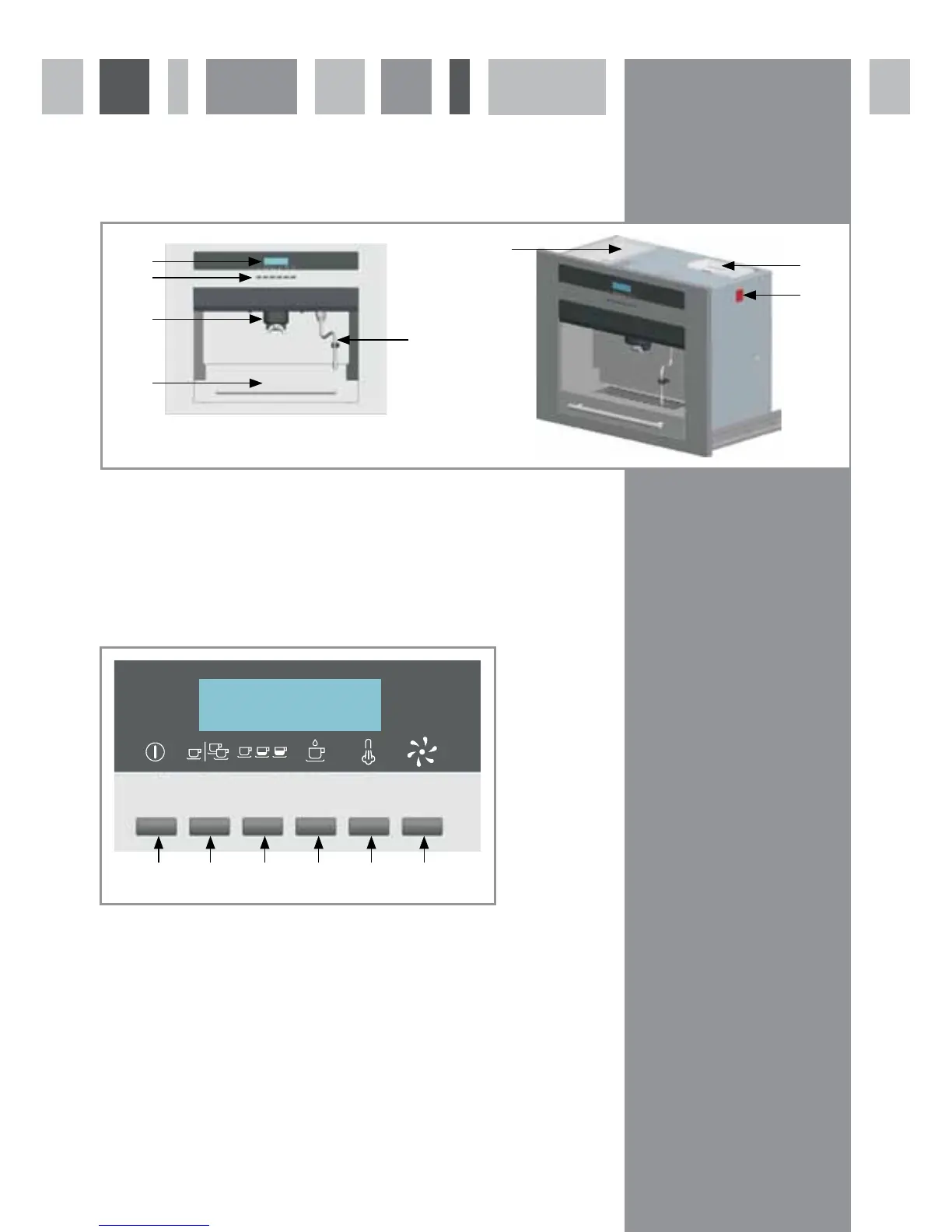
The Coffee machine
Front and Overall View
1 - Lighting
2 - Steam dispenser
3 - Holder for grinding
4 - Coffee dispenser
5 - Water tank
Control Buttons and Display Panel
9 - Power button - Press to turn machine on and off (Standby)
10 - Number of cups button - Press to select between 1 and 2 cups
11 - Coffee size button - Press to select between short, medium and long options
12 - Make coffee button - Press to begin the coffee making process
13 - Steam button - Press to dispense steam from the steam nozzle
14 - Maintenance button - Press to perform a cleaning cycle
2
6 - Coffee bean container
7 - Water tank
8 - On/Off switch
9 10 11 12 13 14
fig. 1
fig. 2
1
2
3
5
4
6
7
8



 To Next Page