6
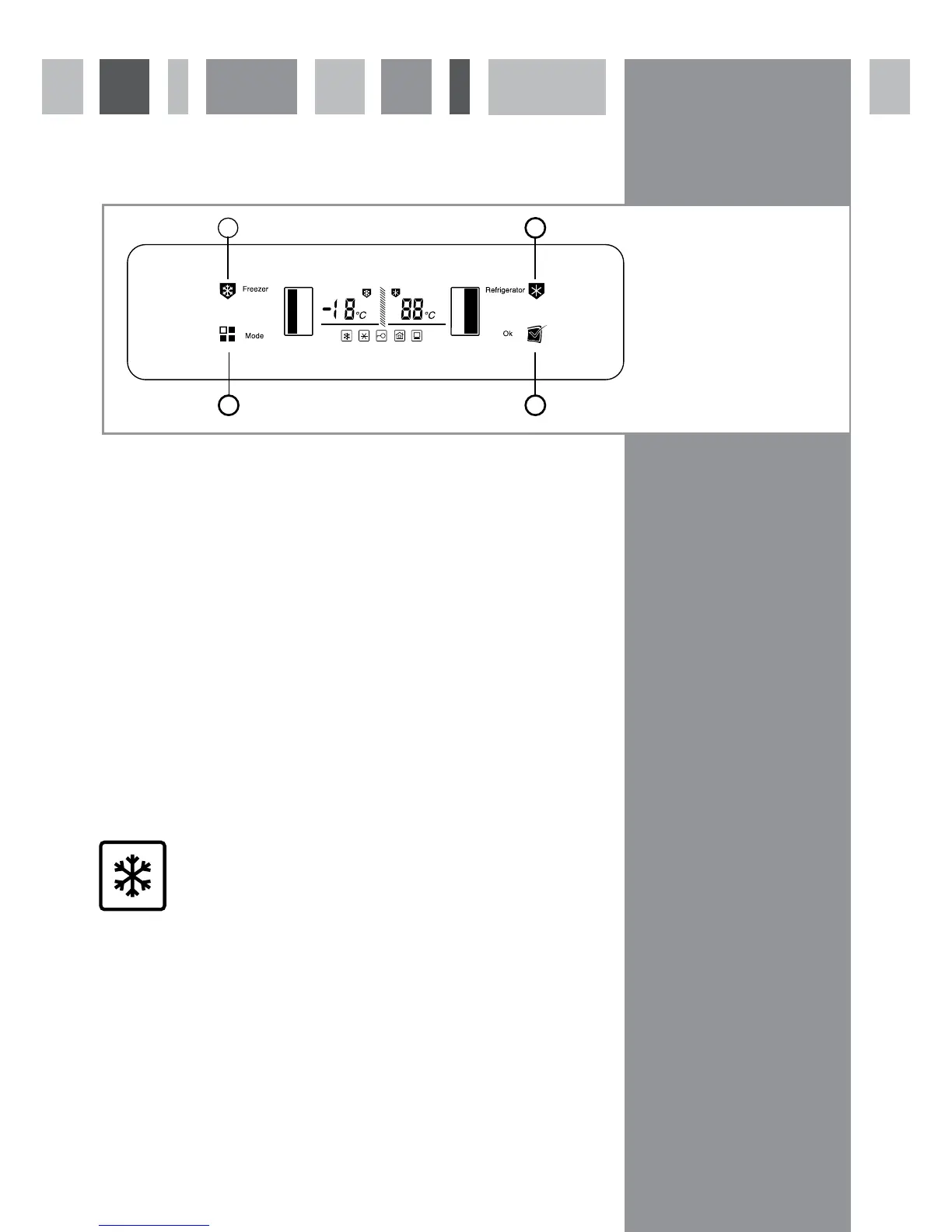
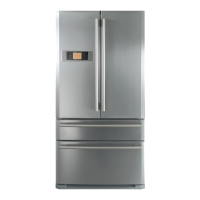
Control panel
Setting the freezer temperature
Touch the freezer temperature key (1). The freezer section and the freezer temperature on the display will flash.
Then touch the freezer temperature key again. The temperature will cycle on the display with each touch of the key
from -16º to -24º before returning to -16º.
Once the required temperature is shown on the display, the freezer temperature will set after five seconds’ delay.
Setting the fridge temperature
Touch the fridge temperature key (2) so that the fridge section and the fridge temperature on the display flash.
Then touch the fridge temperature key again. The temperature will cycle on the display with each touch of the key
from 8º to 2º before returning to 8º.
Once the required temperature is shown on the display, the fridge temperature will set after five seconds’ delay.
Additional modes
The appliance is equipped with a number of additional modes to offer different benefits. These functions are
detailed below and can be selected by touching the mode key (3) until the required symbol shows on the display.
Quick freeze function
The quick freeze function can be used to freeze large quantities of fresh food as quickly as possible. This function can
be set for specific durations before switching off automatically for convenience.
To switch on the quick freeze function, touch the mode key (3) until the quick freeze symbol flashes on the display.
Then touch the OK key (4) within five seconds to confirm the selection. The quick freeze symbol will show on the
display until the quick freeze function switches off and the freezer temperature will be set to -24º. If the OK key is
not touched within five seconds, the freezer will revert to normal operation.
To switch off the quick freeze function, repeat the steps above. Once the function is switched off, the symbol will no
longer show on the display and the appliance will return to the temperatures set previously.
IMPORTANT Do not use the quick freeze function for more than 48 hours
fig. 2
1. Freezer temperature key
2. Fridge temperature key
3. Mode key
4. OK & lock/unlock key
1 2
3 4



 To Next Page