18
To remove and replace the icebox for cleaning
• To remove the icebox for cleaning, lift the middle of the drawer and
pull it toward you.
• To replace the icebox after cleaning, simply locate it on its runners
then push in until it drops into its position.
NOTE: Do not apply excessive force. If the icebox doesn’t slide back
easily:
• Take the icebox out again.
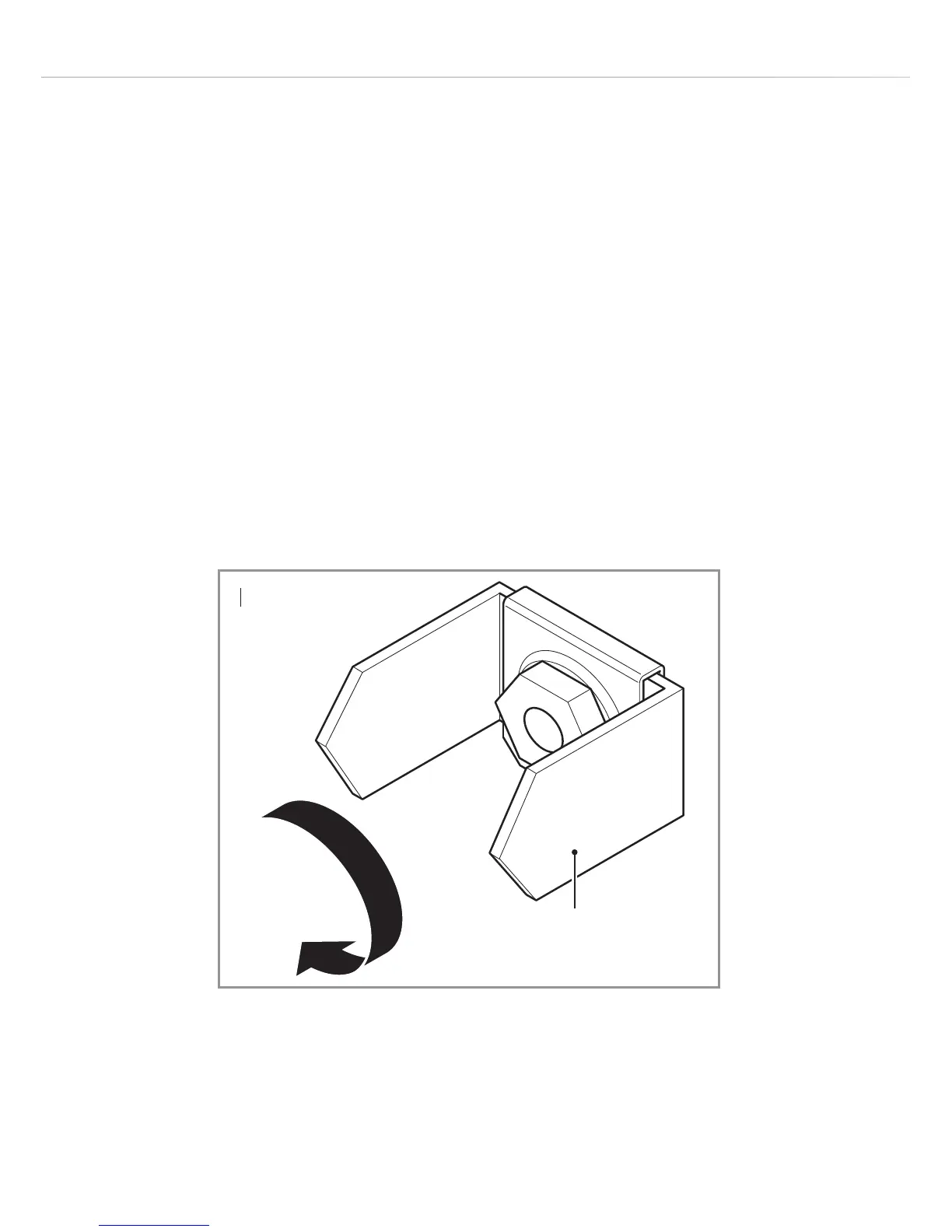
• Rotate the cam mechanism at the back of the freezer CLOCKWISE
by 90° (Fig. 3).
• Slide the icebox into position.
Fig. 3
Cam
mechanism


 To Next Page