EasyManua.ls Logo

CDC Elettromeccanica TX40 - User Manual

CDC Elettromeccanica TX40
11 pages
Print Icon
To Next Page IconTo Next Page
Loading...
ELETTROMECCANICA CDC S.r.l - TX40 - MANUAL rev.2 - PAG.1
TX40
DIGITAL ELECTRONIC
MICROPROCESSOR
TIMER
MANUAL rev.2 11/2021
ELETTROMECCANICA CDC S.r.l
VIA TREVIGLIO 56/58
BRIGNANO GERA D'ADDA (BG)
TEL. +39 0363 382155
FAX +39 0363 382099
www.cdcelettromeccanica.it
vendite@cdcelettromeccanica.it
PREFACE
This manual contains the information necessary for
the product to be installed correctly and also instruc-
tions for its maintenance and use; we therefore recom-
mend that the utmost attention is paid to the following
instructions and to save it.
This document is the exclusive property of
Elettromeccanica
CDC
S.r.l. which forbids any reproduction and divulgation,
even partially, of the document, unless expressly authorized.
Elettromeccanica CDC
S.r.l. reserves the right to make any
formal or functional changes at any moment and without any
notice. Elettromeccanica CDC S.r.l. and its legal
representatives do not assume any responsibility for any
damage to people, things or animals deriving from violation,
wrong or improper use or in any case not in compliance with
the instrument features.
Whenever a failure or a malfunction of the device may
cause dangerous situations for persons, thing or animals,
please remember that the plant has to be equipped with
additional devices which will guarantee safety.
1. INSTRUMENT DESCRIPTION
1.1 General description
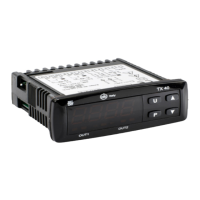
TX40 is a digital microprocessor timer, it offers the possibility
to program: up to 3 delay times (or Set Times), 5 operating
modes for OUT1 output, 5 operating modes for OUT2 output,
4 time scales (allowing timings from 9999 hours max. to 0.01
s min.), 6 counting start modes and 2 counting modes (UP
or DOWN). The timer can also be equipped with an internal
or external buzzer for signaling the end of the count.
The 4 digits display normally shows the counting status
while the outputs status is signalled by 2 LEDs. The instru-
ment has also
2 digital inputs for voltage-free contacts that
can be used for the count enabling (CNT EN) and Reset
(RES) commands and can have up to 2 relay outputs or
SSR for driving Solid State Relays.
The instrument is programmed by using the 3 of the front
panel keys while the counting commands can be submitted
using the
-Start/Stop or through the digital inputs CNT
EN and RES. The operating parameters configuration can
be done through keypad, A01 device connected to TTL port
(standard) or using NFC communication (optional).
Index
1. Instrument description ............................................... 1
1.1 General description ........................................................... 1
1.2 Front panel description ..................................................... 2
2. Programming ............................................................... 2
2.1 Fast Set Times programming ............................................ 2
2.2 Standard mode parameters programming ........................2
2.3 Parameter protection using a password ............................ 3
2.4 Customized mode parameter programming
(parameters programming level) ......................................... 3
2.5 Reset parameters to default value ....................................3
2.6 Keyboard lock function ...................................................... 3
3. Usage warnings ........................................................... 4
3.1 Allowed Usage .................................................................. 4
4. Installation warnings ................................................... 4
4.1 Mechanical Mounting ........................................................ 4
4.2 Mechanical Dimensions [mm] ........................................... 4
4.2.1 Instrument dimensions ......................................................... 4
4.2.2 Panel cutout .......................................................................... 4
4.2.3 Mounting brackets ................................................................ 4
4.3 Electrical connections ....................................................... 4
4.3.1 Electrical connection diagram ............................................... 5
5. Operating mode ........................................................... 5
5.1 Display operation .............................................................. 5
5.2 Operation of the Counting commands .............................. 5
5.3 OUT1 Operating mode ...................................................... 6
5.4 OUT2 Operating mode ...................................................... 7
5.5 Internal buzzer operation .................................................. 8
5.6 Operation in case of power supply failure (backup) .......... 8
6. Accessories ................................................................. 9
6.1 Parameters configuration with A01 ...................................9
6.2 Parameters configuration with AFC1 ................................9
7. Programmable parameters table .............................. 10
8. Problems and maintenance ...................................... 11
8.1 Cleaning .......................................................................... 11
8.2 Disposal .......................................................................... 11
9. Warranty and repairs ................................................. 11
10. Technical data ............................................................ 11
10.1 Electrical data ................................................................. 11
10.2 Mechanical characteristics .............................................. 11
10.3 Functional features ......................................................... 11
11. How to order .............................................................. 12
Question and Answer IconNeed help?

Do you have a question about the CDC Elettromeccanica TX40 and is the answer not in the manual?

Overview

The TX40 is a digital microprocessor timer designed for various industrial applications, offering a wide range of programmable features and robust technical specifications. It can be programmed for up to three delay times (Set Times) and offers five operating modes for both OUT1 and OUT2 outputs. The device supports four time scales, allowing timings from a minimum of 0.01 seconds to a maximum of 9999 hours. It also features six counting start modes and two counting modes (UP or DOWN). For signaling the end of a count, the timer can be equipped with an internal or external buzzer.

Function Description

The TX40's primary function is precise time control in automated processes. Its 4-digit display typically shows the current counting status, while two LEDs indicate the status of the outputs. The instrument includes two digital inputs for voltage-free contacts, which can be used for count enabling (CNT EN) and Reset (RES) commands. It can support up to two relay outputs or Solid State Relay (SSR) outputs for driving external devices. Programming is performed using three front panel keys, or via digital inputs (CNT EN and RES) for counting commands. Operating parameters can be configured through the keypad, an A01 device connected to the TTL port (standard), or via NFC communication (optional).

Programming

The TX40 offers flexible programming options:

  • Fast Set Times Programming: This mode allows quick adjustment of delay times (Set Times) by briefly pressing the 'P' key. The SET LED illuminates, and the display alternates between the parameter acronym (e.g., S.t1) and its programmed value. Values can be increased or decreased using the 'Up' and 'Down' keys. The speed of adjustment increases if the keys are held down. The t.Ed parameter defines which Set Times can be adjusted in this mode.
  • Standard Mode Parameters Setting: To access the instrument's function parameters, the 'P' key is held for 5 seconds (if password protection is disabled). The display then shows the code of the first programmable parameter. Users can select parameters using the 'Up' and 'Down' keys and adjust their values. Pressing 'P' again stores the new value. To exit, no keys should be pressed for 30 seconds, or the 'P' key can be held for 2 seconds.
  • Parameter Protection using a Password: The E.PP parameter allows for password protection of the instrument's parameters. When active, accessing programming mode requires entering the correct password. If the password is lost, the instrument can be switched OFF and then ON, holding the 'P' key for 5 seconds during the initial test to access and modify the E.PP parameter.
  • Customized Mode Parameter Programming: This feature allows certain parameters to be programmable without a password while others remain protected. This is achieved by entering programming mode with the E.PP password, selecting the desired parameter, and then pressing 'P' and 'Up' simultaneously to change its accessibility level (SET LED ON for unprotected, flashing for protected).
  • Reset Parameters to Default Value: All parameters can be reset to their factory default values by entering -48 as the password when prompted for the E.PP password.
  • Keyboard Lock Function: The keyboard can be locked to prevent unauthorized changes by setting the L.Lo parameter to a value other than oF. The L.Lo value determines the inactivity time after which the keyboard automatically locks. To unlock, the 'P' and 'Up' keys must be pressed simultaneously and held for 5 seconds.

Operating Modes

The TX40 offers various operating modes for its outputs and counting commands:

  • Display Operation: The CNT LED indicates count in progress (flashing), stopped count (steady on), or count ended/reset (off). The display shows 0000 for UP counting mode after reset, or the Set time value for DOWN counting mode.
  • Operation of Counting Commands: Counting can be enabled/disabled via the 'Start/Stop' key or the digital inputs CNT and RST. The RST input always acts as a Reset, blocking and resetting the count. The CNT input's operating mode is programmable via the F.ct parameter, supporting modes like Bistable Start/Stop, Monostable Start/Stop, and various Reset-Start/Stop combinations.
  • OUT1 Operating Mode: The OUT1 output operation is programmable in five modes using the F.o1t parameter:
    • ON DELAY (F.o1t = 1): Activates OUT1 after the Set Time (S.t1) has elapsed, disabled by a Reset signal.
    • Feed-through (F.o1t = 2): Activates OUT1 immediately upon Start signal and disables it after S.t1.
    • Asymmetrical Oscillator with Start ON (F.o1t = 3): OUT1 cycles ON and OFF based on S.t1 and S.t2, starting ON.
    • Asymmetrical Oscillator with Start OFF (F.o1t = 4): Similar to F.o1t = 3, but starting OFF.
    • Asymmetrical Oscillator with Start ON (one cycle only) (F.o1t = 5): Similar to F.o1t = 3, but for a single cycle.
  • OUT2 Operating Mode: The OUT2 output operation is programmable in five modes using the F.o2t parameter:
    • No function (F.o2t = oF): OUT2 is disabled.
    • Out2 operates as Out1 (F.o2t = 1): OUT2 mirrors OUT1's operation.
    • Instantaneous Contact Output (ON during count) (F.o2t = 2): OUT2 is active only while counting.
    • Out2 operates as Out1 but with absolute Set time S.t3 (F.o2t = 3): OUT2 mirrors OUT1 but uses S.t3 for its timing.
    • Out2 operates as Out1 but with relative Set time S.t3 in advance (F.o2t = 4): OUT2 mirrors OUT1 but with S.t3 as an advanced relative time.
    • Out2 operates as the buzzer (F.o2t = 5): OUT2 drives an external buzzer.
  • Internal Buzzer Operation: The internal buzzer's behavior is configured by the F.buf parameter, allowing it to be disabled, activated at the end of a cycle, activated at S.t1 end, or to sound when keys are pressed.
  • Operation in case of power supply failure (backup): The F.buc parameter determines how the count behaves after a power supply failure. Options include resetting the count, stopping and storing the value, or storing the value and restarting from it when power returns.

Important Technical Specifications

  • Power Supply: 12 VAC/VDC, 24 VAC/VDC, 100-240 VAC ±10%; AC frequency: 50/60 Hz.
  • Power Consumption: About 3 VA.
  • Inputs: 2 free of voltage digital inputs.
  • Outputs: Up to 2 relay outputs or 12 VDC/15 mA for SSR drive.
    • OUT1: SPDT - 16A - 1HP 250V, 1/2HP 125 VAC (EN 61810: 16 (9) A, EN 60730: 10 (4) A, UL 60730: 12A Res., 30 LRA, 5 FLA).
    • OUT2: SPST-NO - 5A - 1/10HP 125/250V (EN 61810: 5 (1) A, EN 60730: 2 (1) A, UL 60730: 2A Gen. Use).
    • Max 12 A for removable terminal models.
  • Relay Output Electrical Life: 100,000 operations.
  • Overvoltage Category: II.
  • Protection Class: Class II.
  • Insulation: Reinforced insulation between low voltage parts (H or L type power supply and relay outputs) and front panel; reinforced insulation between low voltage parts (H or L type power supply and outputs if both are relays) and extra low voltage parts (inputs).
  • Housing: Self-extinguishing plastic, UL 94 V0; Heat and fire resistance category: D.
  • Dimensions: 78 x 35 mm, depth 64 mm.
  • Weight: About 125 g.
  • Mounting: Incorporated flush in panel (thickness max. 12/29 mm) in a 71 x 29 mm hole.
  • Connections: Fixed or removable screw terminal block for 0.2 - 2.5 mm²/AWG 24 - 14 cables (inputs, power supply); Faston 6.3 mm for power supply.
  • Protection Degree: IP65 mounted with screw type bracket (optional).
  • Pollution Degree: 2.
  • Operating Temperature: 0 - 50°C.
  • Operating Humidity: < 95 RH% with no condensation.
  • Storage Temperature: -25 - +60°C.
  • Time Range: 4 programmable timing scales (9999 h, 99 h 59 min, 99 min 59 s, 99 s 99 hundreds of second).
  • Display Resolution: Based on the time scale used (hours, minutes, seconds, hundreds of second).
  • Overall Accuracy: ±0.1 fs.
  • Input Delay: 15 ms max.
  • Display: 4 Digit Red (Blue optional), height 12 mm.
  • Compliance: Directive LV 2014/35/EU (EN 60730-1, EN 60730-2-7, EN61812-1, UL 508); Directive EMC 2014/30/EU (EN55011: class B; EN61000-4-2: 8 kV air, 4 kV cont.; EN61000-4-3: 10V/m; EN61000-4-4: 2 kV supply and relay outputs, 1 kV inputs; EN61000-4-5: supply 2 kV com. mode, 1 kV\diff. mode; EN61000-4-6: 3V).

Usage Features

  • Allowed Usage: The instrument is designed as a measure and control device, built according to EN61812-1 for altitudes below 2000 meters. It should not be used in dangerous environments (flammable or explosive) without adequate protections. The installer must ensure EMC rules are respected, using proper filters if necessary.
  • Installation Warnings: The TX40 is designed for flush-in panel mounting, requiring a 71 x 29 mm hole. To achieve IP65 protection, a screw-type bracket (optional) should be used. It should be installed in a clean environment with adequate ventilation, away from sources of electromagnetic disturbances like motors or power relays.
  • Electrical Connections: Wiring should follow the provided diagram, ensuring power supply matches instrument specifications and load current does not exceed maximum limits. The installation must include an overload protection and a two-phase circuit-breaker as a disconnecting device. Proper insulation and shielding (connected to ground on one side) are recommended for cables. It is crucial to verify parameter settings and application functionality before connecting outputs to actuators to prevent malfunctions.

Maintenance Features

  • Cleaning: The instrument should be cleaned with a cloth dampened with water or a non-abrasive, solvent-free detergent.
  • Disposal: The appliance must be disposed of separately, in compliance with local waste disposal standards.
  • Warranty and Repairs: The instrument carries an 18-month warranty against construction defects from the delivery date. The warranty is limited to repairs or replacement and is voided by opening the housing, violating the instrument, or improper use/installation. For defective instruments, contact the sales department for shipment authorization. Shipping costs and fees for Elettromeccanica CDC are not covered.

CDC Elettromeccanica TX40 Specifications

General IconGeneral
BrandCDC Elettromeccanica
ModelTX40
CategoryTimer
LanguageEnglish