TABLE OF CONTENTS 1
TABLE OF CONTENTS
Safety Information I
Introduction 1-1
Functional Description and Specifications 2-1
Functional Descriptions 2-1
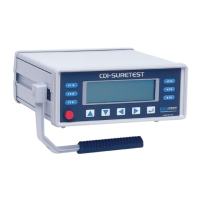
SURETEST Torque Calibration System 2-1
Roll cabinet 2-2
Front Panel 2-3
Rear Panel (Input/Output) 2-9
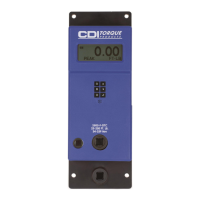
Torque Transducers 2-11
Specifications 2-12
SURETEST Torque Calibration System 2-12
Manual loader specifications 2-14
Setup and Programming 3-1
SURETEST Torque Calibration System Setup 3-1
Setting Up the Suretest System 3-2
Suretest Controls 3-3
Powering the Equipment 3-3
4-in-1 Transducer Select 3-4
Programming Setup 3-5
Setting up Date and Time 3-5
Setting Up High and Low Limits Alert 3-5
Programming AUTO CLEAR 3-6
DATA LIST Memory 3-7
Setting Up Printer/PC Ports 3-8
Selecting Printer/PC Ports 3-8
Setting Up Serial Communications 3-8
Torque Calibration System Setup 4-1
Testing Torque Wrenches and Drivers 4-1
Selecting a Transducer 4-1
Installing a Transducer 4-1
Dial and Bending Beam Torque Wrenches and Screwdrivers 4-2
Adjustable or Preset “Click” Wrenches and Screwdrivers 4-3
Testing Power Tools 4-4
Non-Impact Tools 4-4
Displaying Statistical Analysis 4-7
Displaying Statistical Analysis on LCD 4-7
Printing Statistical Analysis 4-8
Displaying or Downloading Data List 4-10
Displaying Data List on LCD 4-10
Downloading Data List to Printer 4-10
How to Use Analog Output (Rear Panel BNC Connector) 4-11
Calibration 5-1
Mounting Details 5-1
Quick Check 5-4
Torque Transducer Calibration 5-7


 To Next Page
 Loading...