TORQUE CALIBRATION SYSTEM SETUP CHAPTER 4
4-1
Displaying Statistical Analysis
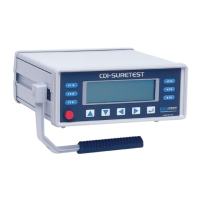
The SURETEST Base Unit accumulates torque measurements in a data list. The list is
created with each AUTO or MANUAL data store entry. Statistical analysis is calculated
on the list, and if SET HIGH and SET LOW limits are established, draws a simple
histogram of the results. These features are very useful in statistical process control
(SPC) management. Statistical analysis can be previewed on the display or sent directly
to a printer/computer port. For additional information on setting up printer or PC ports,
refer to Chapter 3—Set Up and Programming in this manual.
Displaying Statistical Analysis
1. Press Data . Then Format .
Figure 4-2: Statistical Analysis Display
2. Repeatedly press Up or Down Cursor Key to scroll through the LCD display as shown:
Value: 0009
Mean: 07.559 in-lb
Min: 06.768 in-lb
Max: 08.206 in-lb
Range: 01.437 in-lb
SigmaN 00.526 in-lb
Sigma 00.558 in-lb
Cp: 0.3287
Cpk 0.2636
%Err 33.333%
-NoGo 1
+NoGo 2
3. Press Escape to return to measurements mode.


 To Next Page