EasyManua.ls Logo

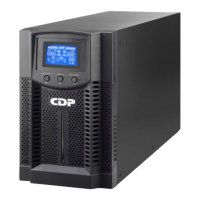
CDP UPO 11-2 AX - User Manual

Default Icon
32 pages
Print Icon
To Next Page IconTo Next Page
Loading...
User Manual
UPO 11-1-1.5-2-3 (AX) UPO 11-1RT,
1.5RT, 2RT, 3RT PF1.0
Customer Made - COLOMBIA
Rack/Tower Online UPS
Uninterruptible Power Supply System
Version: 1.0 2017

Questions and Answers

  • I
    igarciaAug 15, 2025
    Why does my CDP UPO 11-2 AX UPS keep beeping and show overload?
    • N
      natashadixonAug 15, 2025
      If your CDP UPS beeps every second and the LCD display shows specific icons flashing, it indicates an overload. This means the devices connected to your UPS are drawing more power than it can supply. You should remove some of the connected devices from the UPS output. If the UPS is locked in Bypass mode after repetitive overloads, remove excess loads, then shut down the UPS and restart it.
  • C
    Christine FergusonAug 18, 2025
    What to do if my CDP UPS shows fault code 43 and is beeping?
    • P
      Paula BrooksAug 18, 2025
      If your CDP UPS shows fault code 43 on the LCD display and the alarm is continuously sounding, it means the UPS automatically shut down due to an overload at the output. To resolve this, remove some of the connected devices from the UPS output and then restart the UPS.
  • W
    williamdavenportAug 21, 2025
    What to do if my CDP UPO 11-2 AX shows fault code 14 and is beeping?
    • M
      Mary WagnerAug 21, 2025
      If your CDP UPS shows fault code 14 on the LCD display and the alarm is continuously sounding, it indicates that the UPS shut down automatically because a short circuit occurred on the UPS output. Check the output wiring and verify if any of the connected devices are in a short circuit state.
  • B
    Brian WhiteheadAug 25, 2025
    What to do if my CDP UPO 11-2 AX UPS battery backup time is too short?
    • T
      thompsontimothyAug 26, 2025
      If the battery backup time of your CDP UPS is shorter than expected, it could be due to the following reasons: 1. The batteries may not be fully charged. To fix this, charge the batteries for at least 5 hours and then check their capacity. 2. The batteries may be defective. In this case, it is recommended to contact your dealer to replace the battery.
  • D
    David PenningtonAug 27, 2025
    What to do if my CDP UPO 11-2 AX UPS shows fault code 49 and is beeping?
    • F
      farmerjonathanAug 28, 2025
      If your CDP UPS displays fault code 49 on the LCD and the alarm is continuously sounding, it means the UPS is experiencing overinput current. To resolve this, remove some of the connected devices from the UPS output.
  • C
    Courtney HartmanAug 31, 2025
    What does it mean when my CDP UPO 11-2 AX is flashing icons and beeping?
    • J
      Jenna SteinAug 31, 2025
      If your CDP UPS is showing specific icons flashing on the LCD display and the alarm is sounding every 2 seconds, it indicates that the line and neutral conductors of the UPS input are reversed. To fix this, rotate the mains power socket by 180° and then connect it to the UPS system. Also, this can mean that the external or internal battery is incorrectly connected, so check if all batteries are connected well.
  • M
    Mary Brady DDSSep 3, 2025
    What to do if my CDP UPO 11-2 AX UPS shows fault code 2A and is beeping?
    • B
      Bruce Green Jr.Sep 3, 2025
      If your CDP UPS shows fault code 2 A on the LCD display and the alarm is continuously sounding, it indicates a short circuit on the charger output. Check if the battery wiring of the connected external pack is in a short circuit state.
  • C
    Charles SimonSep 7, 2025
    Why is my CDP UPO 11-2 AX UPS not showing any indication?
    • K
      Kimberly MccoySep 7, 2025
      If your CDP UPS shows no indication and no alarm, even when the mains is normal, it could be due to these reasons: * The AC input power is not connected well. Check if the input power cord is firmly connected to the mains. * The AC input is incorrectly connected to the UPS output. Ensure you plug the AC input power cord into the AC input correctly.
  • M
    Mary FloresSep 12, 2025
    What does it mean when the icon and the warning code flash on my CDP UPO 11-2 AX?
    • N
      Nicole AllenSep 12, 2025
      If the specified icon and a warning code are flashing on the LCD display of your CDP UPS, and an alarm sounds every 2 seconds, it indicates that the EPO (Emergency Power Off) function is activated. To disable the EPO function, set the circuit in the closed position.

Summary

Important Safety Warnings

Installation

Rules for connecting appliances, cables, and ensuring proper grounding and load limits.

Maintenance, Service, and Faults

Safety precautions for maintenance, repair, and handling hazardous voltages and batteries.

Installation and Setup Guide

Battery Replacement

Instructions for connecting external battery packs and replacing internal batteries.

UPS Operations and Monitoring

Faults Reference Code

Table listing fault events, codes, and icons for troubleshooting.

Warning Indicator Guide

Information on warning indicators, their codes, and corresponding alarm sounds.

Troubleshooting UPS Issues

CDP UPO 11-2 AX Specifications

General IconGeneral
Waveform TypeSimulated Sine Wave
Communication InterfaceUSB
Output Voltage220/230/240VAC
TopologyLine Interactive
Frequency Range50/60Hz ± 5Hz
Battery Recharge Time4-6 hours
Operating Temperature0°C to 40°C
Storage Temperature-15°C to 45°C
Humidity5% to 95% non-condensing
Safety ApprovalsCE

Related product manuals