38
The Standard Video Encoding Guide (abridged)
Video Format Support
MPEG2 MP@HL
MPEG4.2 ASP@L5
MPEG4.10 (H.264) MP@L4.0
WMV9 MP@HL
VC-1 AP@L3
While the player supports data rates up to 40Mb/s, it is best to average 35Mb/s or less for optimum performance.
Audio Format Support
MPEG1 Layers I, II, and III (MP3) 2.0
MPEG4 AAC-LC 5.1
FLAC
MP3 (Optional)
Description of Document:
The purpose of this document is to provide information on encoding video for
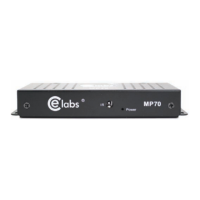
the CE labs MP70 players. The MP70 supports three main formats: Windows
Media 9, MPEG-4 part 10 (h.264) and MPEG-2. Windows Media 9 can
take the form of a WMV/WMA or VC-1. MPEG-2 can take the form of a
program stream or transport stream. There are guidelines for encoding each
of these formats; however, we suggest using the MPEG-4 container with the
h.24 codec for optimized playback, which is specified below.
MP70 Video/Audio Encoding Settings for MPEG-4 (h.264 Codec)
Video Settings:
File Format: Mpeg 4
Frame rate: 23.97 or 29.97
Codec: H.264
Resolution: 1920 x 1080
Bit rate: Variable bit rate = Target: 20 Mbps Maximum: 35 Mbps
Audio Settings:
Codec: AAC (Mpeg 4)
Output Channels: Stereo
Frequency: 44.1 kHz or 48 kHz
Bit rate: 192 kbps
Target of -12 dB
Note: Frame rate and frequency will need to be the same as the source video being encoded
Suggested programs for encoding content:
There are many types of video encoders that are available. Below is a list
of encoders we have used to successfully encode video content for smooth
playback on the MP70.
• Adobe Media Encoder • Wondershare Media Encoder
• QuickTime Pro • HE-AAC 5.1
• WMA9 2.0 • Dolby Digital 5.1


 To Next Page