30
GB
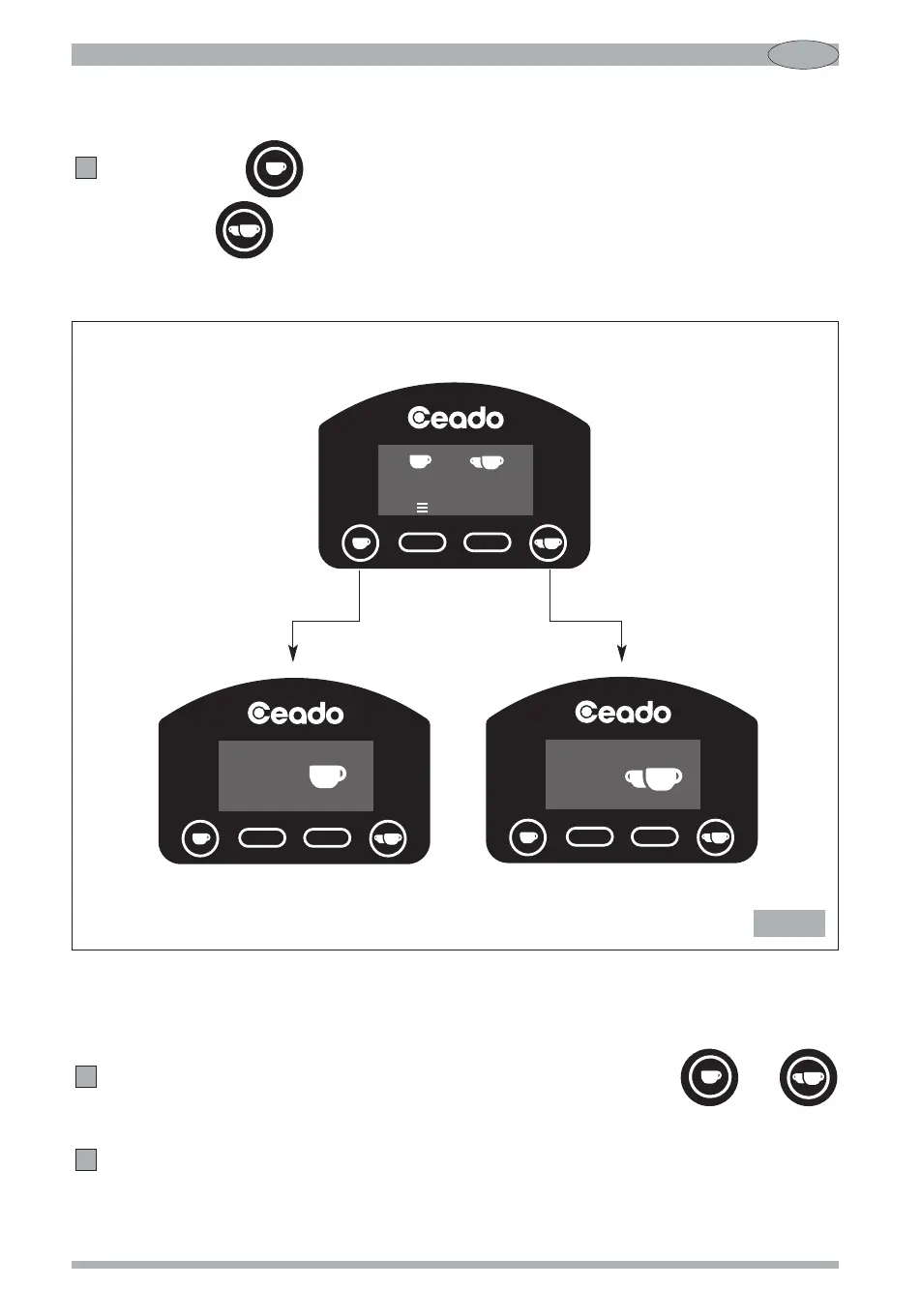
Automatic operation (see Fig. 7)
Press the button (13 Fig. 4) to grind the amount of coffee necessary for a single shot
or the button (14 Fig. 4) for a double shot.
4
Manual operation (see Fig. 8)
To grind coffee continuously, without any time setting, press the buttons and
(13, 14 Fig. 4) simultaneously to switch to the manual operation screen.
Press the “START” button to grind.
5
4
Main screen
Single shot dispensing Double shot dispensing
Fig. 7


 To Next Page