35
GB
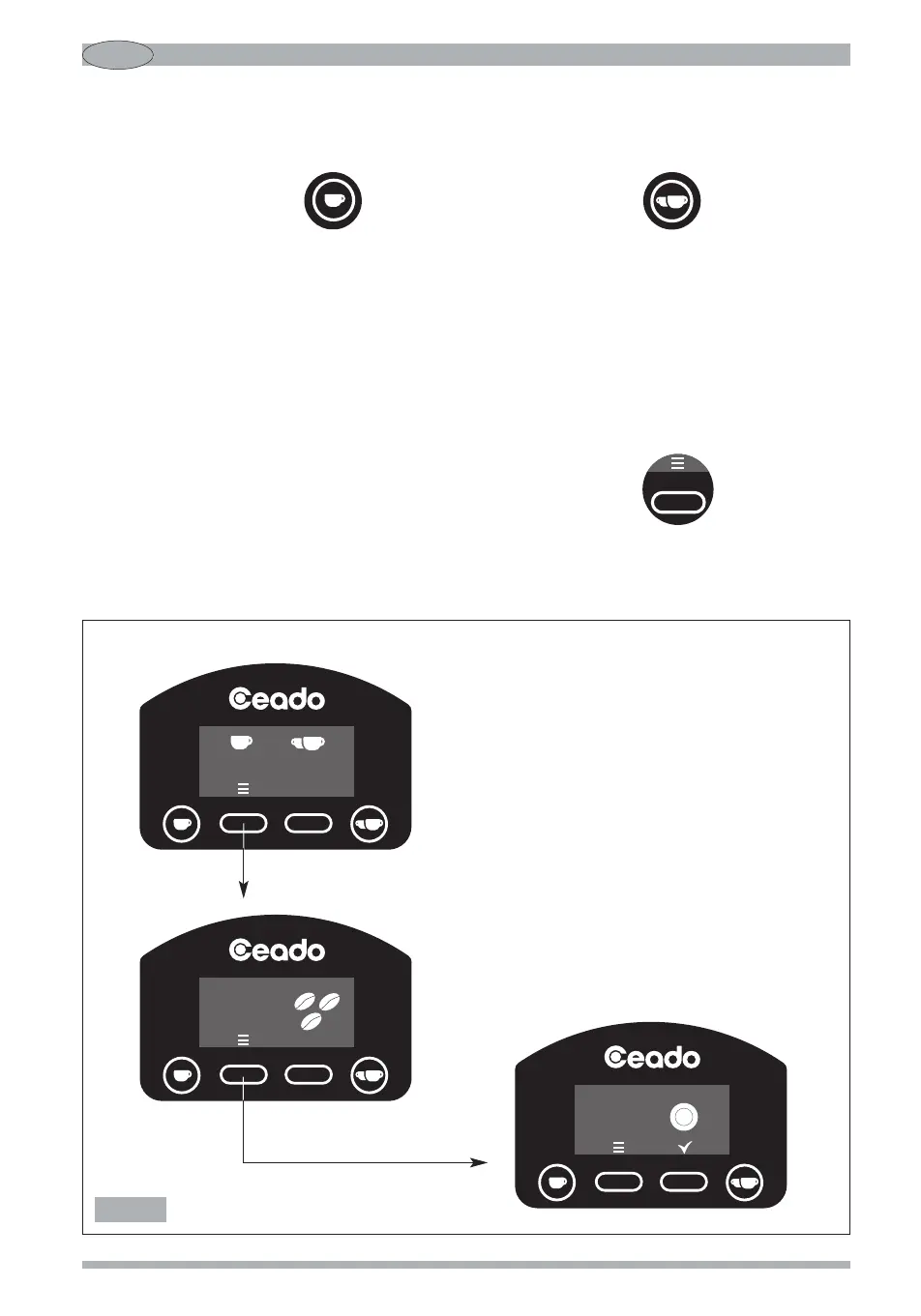
START BUTTON SETTING (E6P - E7P) - see Fig. 12 and Fig. 13
According to the factory setting (pulse mode ON), the appliance distributes coffee with the simple
pressing of the start button (13 Fig. 4) for the single shot and (14 Fig. 4) for the
double shot.
If this button is pressed again while dispensing a shot, the motor stops, the system goes into pause
status and the display shows the time remaining to complete the shot. At this point, to complete the
dose just press the relative start button again (13 or 14 Fig. 4).
If, instead, you want no longer to end the shot, for that single press the button of the double shot
and for the double the button of the single one.
However, it is possible to change this function by programming the start button so that the coffee is
dispensed as long as the relative start button remains pressed and stops when it is released (pulse
mode OFF).
For change the operating mode of the start button, press the button (15 Fig. 4) in the
main screen twice to enter the start button screen (if nothing is pressed, you will return to the main
screen after three seconds).
Main screen
Fig. 12


 To Next Page