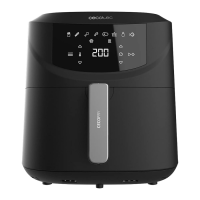
CECOFRY ABSOLUTE 7600
42
ENGLISH
- Place the rack properly in the basket and place the basket back in the appliance for use.
- Do not ll the device with oil or any other liquid.
3. OPERATION
1. Place the appliance on a horizontal, stable, at, and heat-resistant surface. Never place
it on a glass-ceramic hob.
2. Properly place the basket in the air fryer.
3. Do not place any objects on top of the product when in use to avoid interrupting the air
ow and aecting the air-frying result.
Air fryer
1. Connect the mains plug to an earthed wall socket.
2. Remove the basket from the air fryer with extreme care. (Fig 3).
3. Put the ingredients in the basket.
Note: never exceed the MAX mark on the basket or the quantity indicated in the table (see
“Settings” in this section) to avoid aecting the nal result.
Tip: to ensure perfect results, it is recommended that you avoid overcrowding the basket with
food, as it will not cook evenly.
4. Put the basket back in the air fryer. (Fig. 4)
Never use the air fryer without the basket inside.
Caution: do not touch the air fryer during or immediately after operation, as it may still be very
hot. Hold the basket only by the handle.
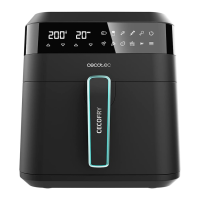
5. Use the control panel as follows (Fig. 2):
Plug in the air fryer–the corresponding power light indicator (Icon 1) will come on.
Icon 1 – Power icon
Once the basket and rack are securely in place in the fryer, the power icon will light up. Pressing
the power icon will set the temperature to 200°C and the cooking time to 15 minutes by default.
Pressing the power icon again will start the cooking process. If temperature and time were
manually selected, when pressing the power icon, the default-menu icons will be hidden, and
the fan icon (Icon 7) will keep ashing while in operation to start the cooking process. The fan
icon (Icon 7) stays on for a few seconds after stopping or pausing cooking to continue cooling
down. Press the power icon to stop the cooking process–the default-menu icons will light up.
If you want to stop the cooking process early, hold down the power icon (Icon 1) for 5 seconds.
Note: during cooking, you can press this icon to start or pause the cooking process.



 To Next Page