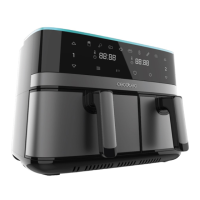
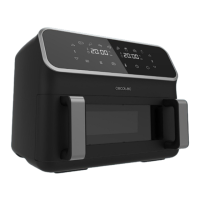
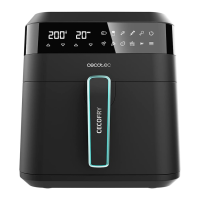
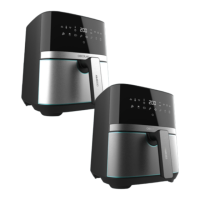
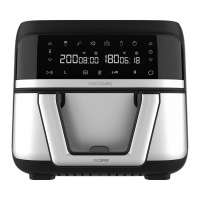
CECOFRY DUAL 9000
51
ENGLISH
Vegetables 160 ºC 16 min - Depends on the
type of vegetable
Dehydrate 60ºC 8 hrs Basket surface Not necessary
Note
This information is indicative, as ingredients dier in origin, size, shape and brand, we cannot
guarantee the best setting for the ingredients that you are using.
Tips
- Smaller ingredients require shorter preparation time than the larger ones.
- A larger quantity of ingredients only requires a slightly longer preparation time, and a
smaller quantity of ingredients only requires a slightly shorter preparation time.
- Stirring small ingredients during the frying process optimises the result and can help
prevent unevenly cooked ingredients. To do so, remove the basket and shake it.
- Add some oil to raw chips for a crispier result.
- The optimal amount for preparing crispy fries is 400 grams.
- Do not use the device to fry greasy food (such as sausages).
- Food that can be cooked in an oven can also be cooked with the device.
- Pre-made dough requires a shorter preparation time than home-made dough.
- You can also use the device to reheat ingredients. To do so, set the temperature at 150ºC
for 5-10 minutes.
11. Frying temperature increase/decrease icons
- With both icons (11), placed above and below the thermometer, you can increase or
decrease the frying temperature as desired.
- However, to set the temperature, you must rst select one single basket compartment (13
or 17) or the whole basket (16).
12. Start/Pause
This icon (12) will allow you to start or pause the selected cooking.
- If you press this icon (12) after selecting the programme (10) or temperature (11) and time
(9), the device will start cooking.
- If you press this icon (12) when there is a cooking in process, you will pause it. To restart it,
press it again (12).
13. Left-hand single basket compartment
This icon (13) is used to set the left-hand single basket compartment only. Press the icon (13),
select the desired time (9) and temperature (11) or programme (10). Next, press the Start/
Pause icon (12) to start cooking.
04996_Cecofry Dual 9000_IM_01221202.indd 5104996_Cecofry Dual 9000_IM_01221202.indd 51 7/12/22 13:077/12/22 13:07


 To Next Page
 Loading...