ENGLISH
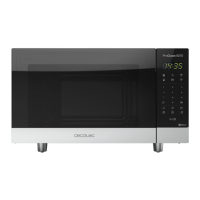
23PROCLEAN 6010
Example: cooking at P80 for 10 minutes.
Steps Display
2
Press Power button repeatedly to select desired
power level .
80P
3
Set cooking time by pressing number keys “1”, “0”,
“0”, “0”.
10:00
4
Press Start/Stop button to start, LED will show
countdown.
CAUTION
- Maximum cooking time is 99 minutes, 99 seconds.
- It is recommended to turn or stir food at least once during the process. Press Reset button
once to resume operation.
- If food is removed before the pre-set time, make sure you press Reset once in order to stop
operation and avoid the microwave from operating automatically and empty when closed.
- When operating at maximum power, the microwave will automatically lower power after a
certain time in order to lengthen the appliance’s shelf life.
B. Two-stage cooking
In order to obtain the best result, some recipes require of different steps. This function allows you
to personalize and to combine your cooking processes.
Example: cooking food on microwave mode at 100 P, for 3 minutes,
then 20P for 9 minutes.
Steps Display
1 Select 100 P microwave for 3 minutes.
1.1
After powering up, display shows colon, press
Reset once or wait for 30 seconds.
:
1.2 Press”3” “0”, “0” to set cooking time. 3:00
1.3
Press Power once and then select the desired
power level by pressing “1” “0”.
100P
1.4 Press Cook button once to conrm.
01536_ProClean 6010_Manual_PE.indd 23 24/4/18 9:17




 To Next Page