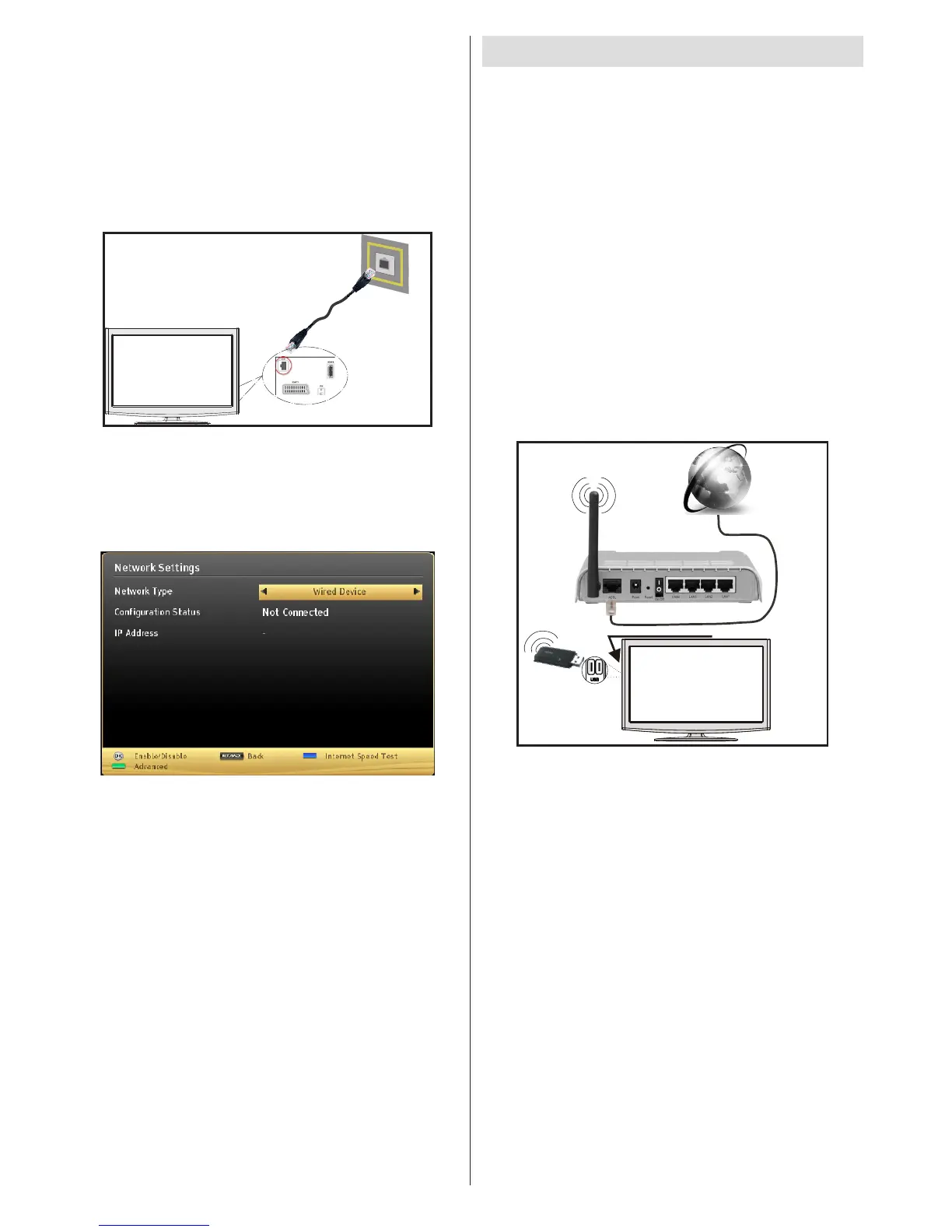
&RQ¿JXULQJ:LUHG'HYLFH6HWWLQJV
The Network type can be selected as Wired or
Wireless, in accordance with the active connection to
the TV set. Select this as “Wired” if you are connecting
via an ethernet.
&RQ¿JXUDWLRQ6WDWXV
This section displays the status of the connection.
Select Connected if you want to activate a connection.
Select as Not Connected to end an active connection.
IP Address
If an active connection is available, the IP address will
EHGLVSOD\HGRQWKLVVHFWLRQ,I\RXZDQWWRFRQ¿JXUH
an IP address preference, press the GREEN button
and switch to the advanced mode.
&RQ¿JXULQJ:LUHG1HWZRUN6HWWLQJVLQ
Advanced Mode
After pressing the GREEN button, the “Advanced
mode” will be available. While in Advanced Mode,
press the REDEXWWRQWRHGLWVHWWLQJV:KHQ¿QLVKHG
press OK to save, Press RETURN/BACK to cancel
Wireless Connectivity
Connecting to a Wireless Network
IMPORTANT: USB dongle (not supplied) is required
to use wireless network features.
To u s e yo ur TV w i t h y ou r w i re le ss ne t w o rk , y ou n e e d
a Wireless USB dongle. To make your modem’ s
SSID visible, you should change your SSID settings
via the modem’s software. The TV cannot connect
to the networks with a hidden SSID.
To Connect to a wireless LAN, you should perform
the following steps:
1. Ensure that Nero Media Home software is
installed to your PC (for DLNA function).
2. Then connect the wireless adaptor to one of the
USB inputs of the TV.
3. 7RF R Q¿ JX UH \R X UZ LU H O H V V VH WW L Q J V S OH DV HU H IH UW R
Network settings section in this manual.
Wireless Lan
Adaptor
USB Inputs (Side of the TV)
Broadband ISP
Connection
A Wireless-N router (IEEE 802.11a/b/g/n) with
simultaneous 2.4 and 5 GHz bands is designed
to increase bandwidth. These are optimized for
smoother and faster HD video streaming, file
transfers, and wireless gaming.
Use a LAN connection for quicker file sharing
between other devices like computers.
The frequency and channel differ depending on
the area.
The transmission speed differs depending on the
distance and number of obstructions between the
WUDQVPLVVLRQ SURGXFWV WKH FRQ¿JXUDWLRQ RI WKHVH
SURGXFWVWKHUDGLRZDYHFRQGLWLRQVWKHOLQHWUDI¿F
and the products that you use. The transmission may
also be cut off or may get disconnected depending
on the radio wave conditions, DECT phones, or any
other WiFi 11b appliances. The standard values of
the transmission speed are the theoretical maximum
values for the wireless standards. They are not the
actual speeds of data transmission.


 To Next Page