ENGLISH I 3
The quick-release plate allows you to quickly attach your optics to the tripod. To remove the
quick-release plate from the fast action pan/tilt head, turn the quick-release plate lock knob until it
releases the locking mechanism. The plate can then be lifted free of the tripod’s head by lifting the
side of the plate nearest to the knob slightly upward.
Attach the quick-release plate to any device or optic with a ¼”-20 mount thread. Place the quick-
release plate back onto the mounting platform so that one long side is aligned with the side of the
mounting platform rail opposite the quick-release plate lock knob.
QUICK-RELEASE PLATE
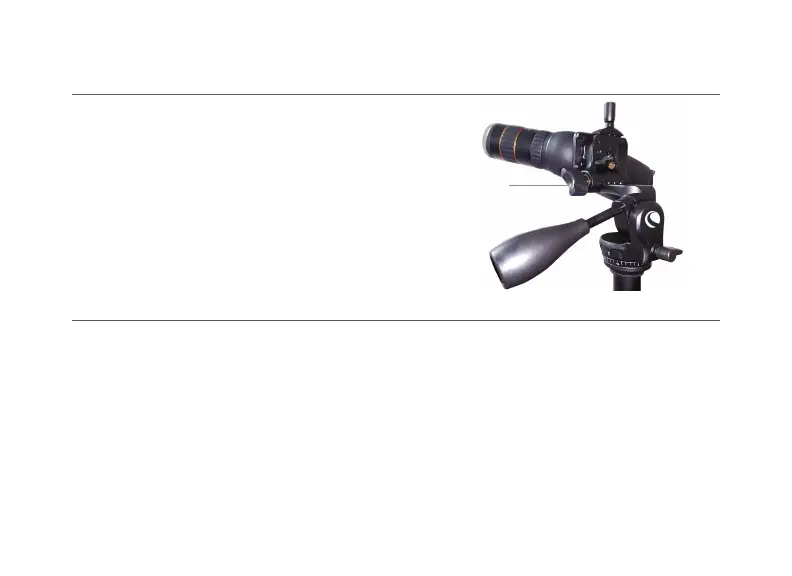
ADJUSTING THE MOUNTING PLATFORM
The Hummingbird tripod is equipped with a tilting
mounting platform for even more adjustability.
Simply turn the mounting platform knob to loosen it,
raise the platform by lifting the edge opposite this
knob, and raise it to the desired angle. Finally, turn
the mounting platform knob the opposite direction
to secure the mounting platform position in place.
Mounting
platform knob



 To Next Page