Congratulations on your purchase
of
the Celestron Nexlmage Solar System Imager. Please read
the instructions carefully and be sure
to
setup your camera and computer indoors first before
taking it outside and trying it
at
night.
Your Nexlmage camera comes with:
• Nexlmage Camera
• Nexlmage iCap and RegiStax processing
software CD-ROM
SETTING
UP
THE
CAMERA
1.
Place the CD into your computer's
CD-
ROM drive.
2.
Install both the Nexlmage iCap and
RegiStax software onto your computer.
3.
Plug the
USB
2.0 connector into a port on
your computer. Once connected, the Found
New
Hardware message will appear. Follow
the installation Wizard until the device has
been successfully installed.
4.
Double click the Nexlmage
iCap icon on your desktop
to
start the program.
2 I ENGLISH
Recommended Minimum System
requirements:
+ Pentium
IV,
2.0 G
Hz,
1GB
RAM
+Graphics
card with
24
or
32
bit
+Windows
XP,
Windows Vista, Windows 7
(32
&
64
bit)
+ DirectX 9.
0c
or higher
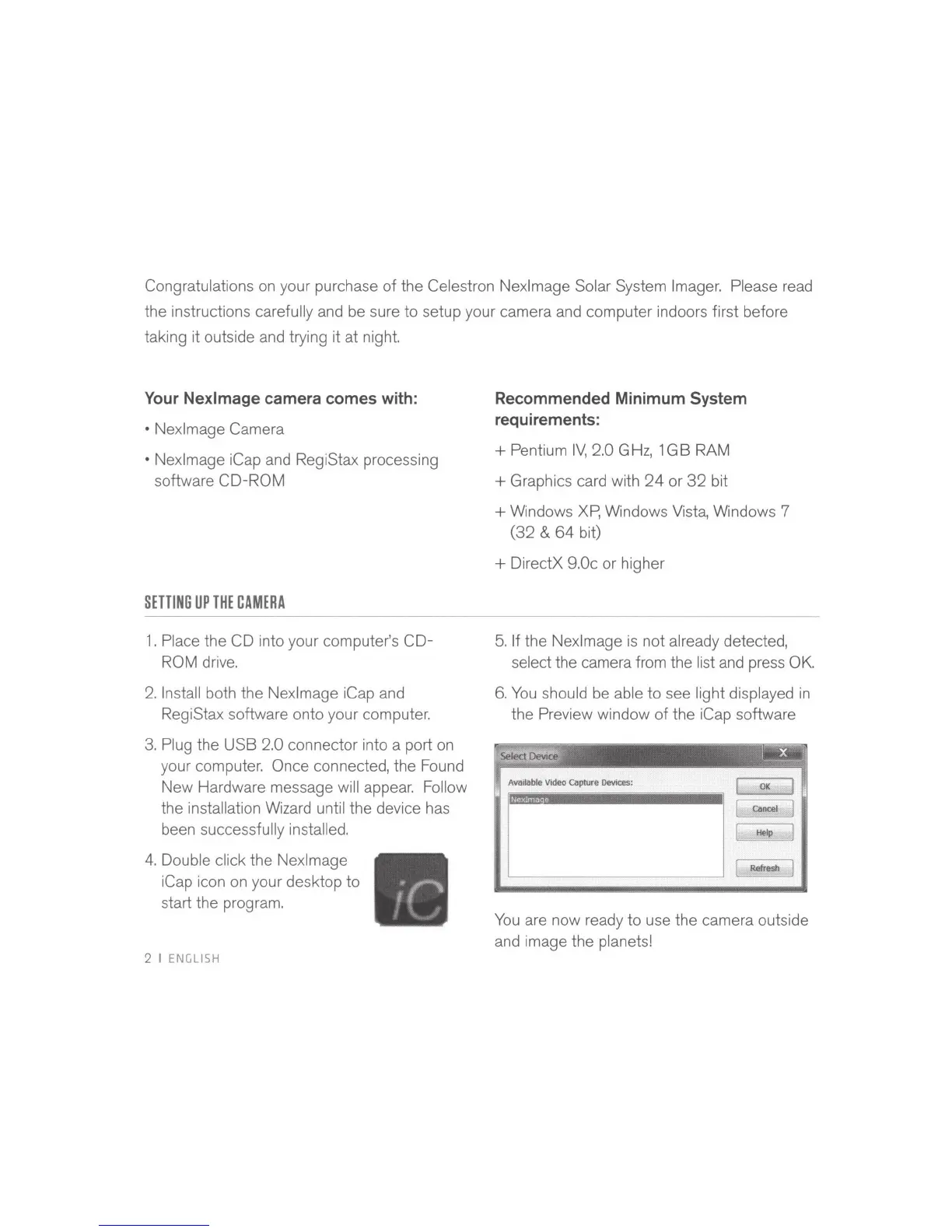
5.
If the Nexlmage
is
not already detected,
select the camera from the list
and
press OK.
6.
You
should be able
to
see light displayed
in
the Preview window
of
the iCap software
Ava
ilable
Video
Capture
Devices:
I
OK
l
cancel
Nexlmaoe
l
Help
[
Refresh
You
are now ready
to
use the camera outside
and image the planets!



 To Next Page
 Loading...