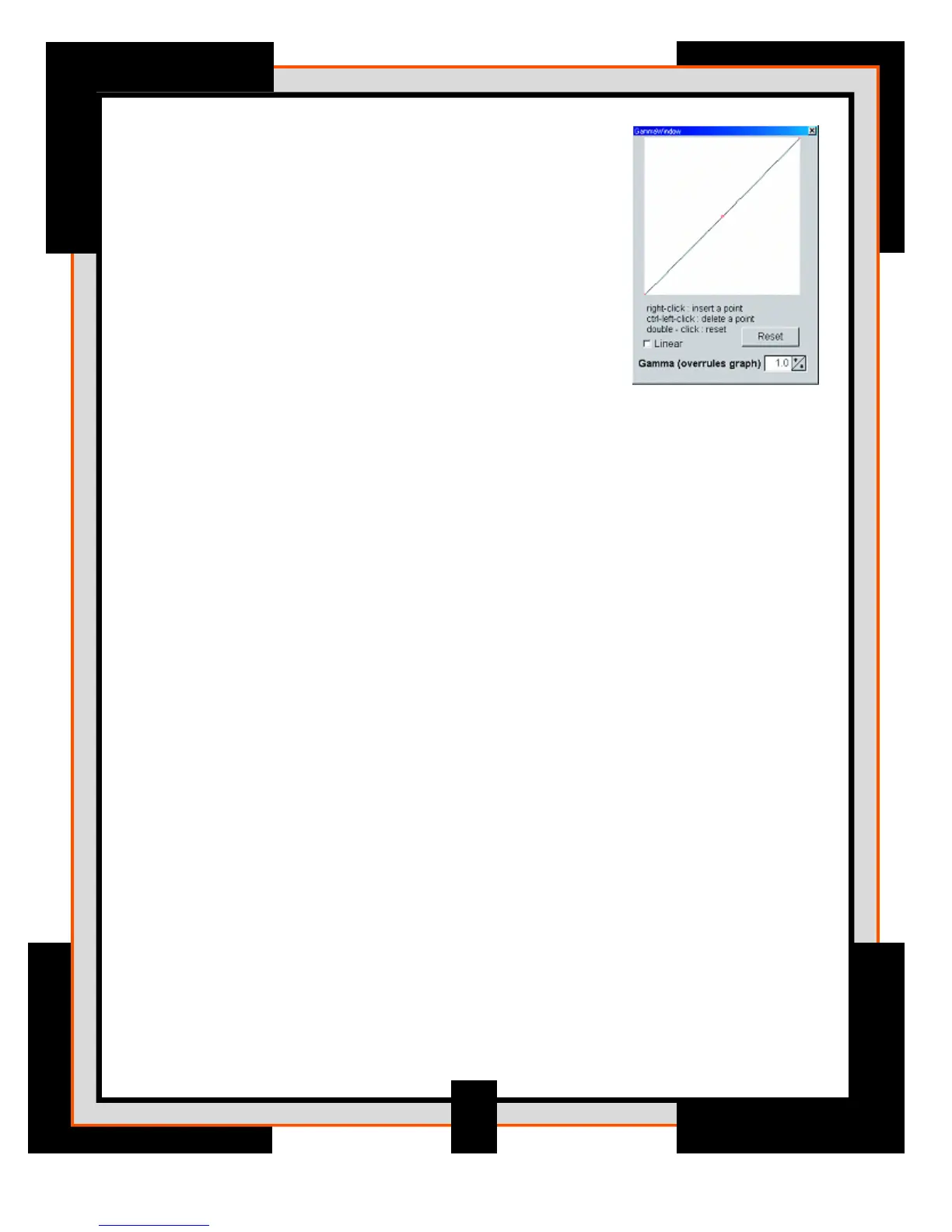
16. Gamma Curve checkbox and Gamma
thumbwheel control – In addition to the gamma-control
this curve allows you to set the gamma-response yourself. By
default the relation between image-intensity and output is set
to 1 (straight line) equalling a gamma=1 setting. But you can
change the shape of the curve by dragging the anchor (red
circle) or adding new anchors (right-click) to the line. The
curve settings overrules the thumbwheel control until the latter
is used again. The gamma-curve allows you to also move the
first and last anchors of the line up an down and allows you
to switch to a linear curve between points instead of the
usual smooth curve; you can add, delete points at will with
this control.
17. Contrast/Brightness sliders – These control the standard contrast/brightness
common to many image processing programs
28








 To Next Page