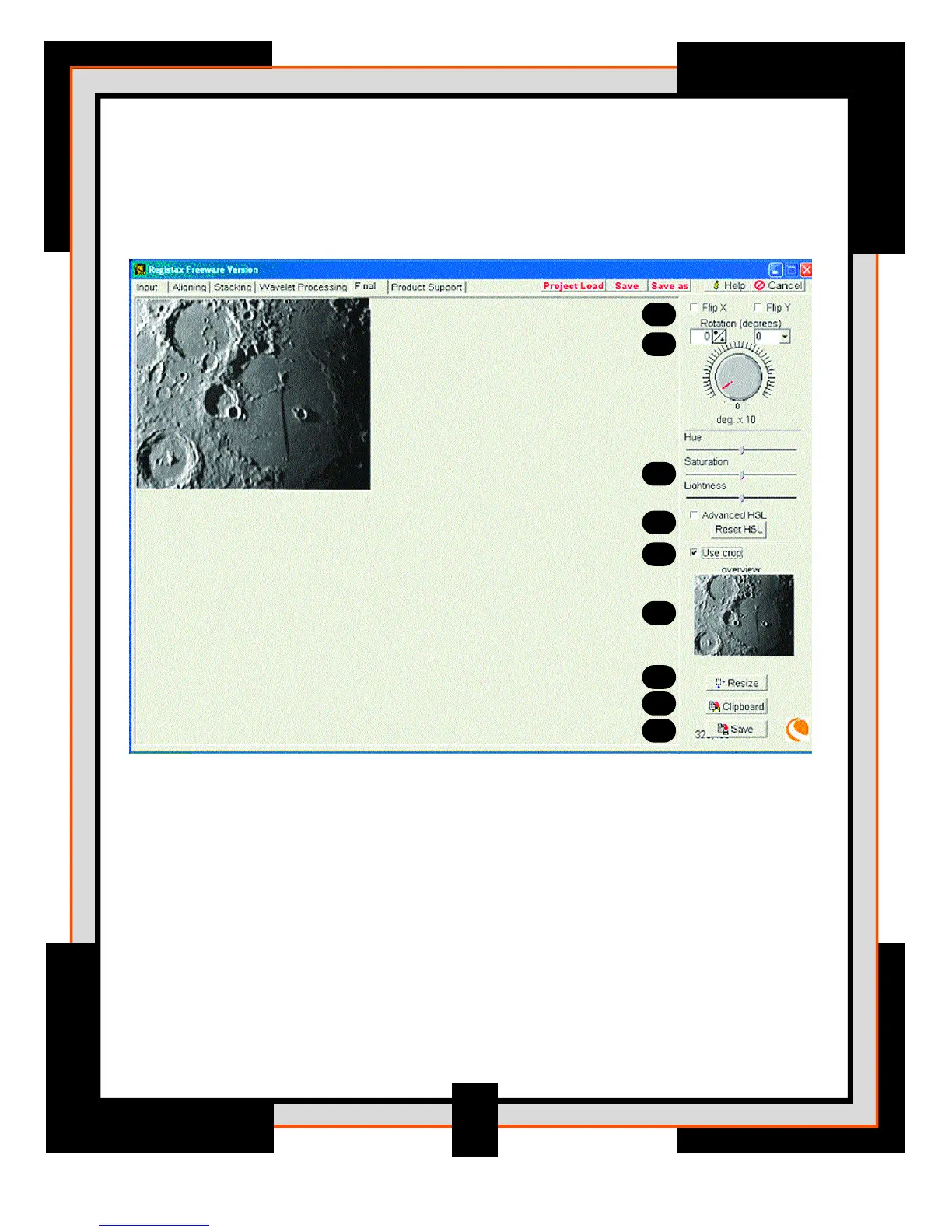
Final Processing Screen
Many users wanted to do some simple additional processing after the wavelets before saving
the images.
1. Controls – Flip X and Flip Y: These are easy ways to flip images around
the X and Y axes
2. Rotation – A set of three controls allow easy rotation of the image (the image will be
clipped when it shifts over the edge!). There's a numerical control with direct response
in steps of a degree, a combo box (dropdown) control with programmed steps of 15
degrees and finally a large round button that allows you to set the rotation at steps of
10 degrees. Be aware that using the new advance hue-lookup feature will not work
when the image is rotated, so do the rotation at a final stage.
3. Hue/Saturation/Lightness – These allow you to alter the colour of the image rather
delicately. Hue changes the overall image-colour, Saturation the colour-depth and
Lightness is comparable to brightness.
29
1
2
3
4
5
6
7
8
9




 To Next Page