2
Safety instructions
Disclaimer
Care instructions
In the box
Clean the product with a soft, dry, clean cloth.
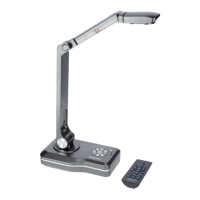
• celexon document camera V500
• Infrared remote control
• 1.5m USB cable
• 1.5m HDMI cable
• 1.5m VGA cable
• Power Supply
• Owner‘s manual
• Do not use the product until you have read and understood the complete
user guide.
• This product is intended for indoor use. Outdoor use could damage
the product.
• Use this product only on a stable surface to prevent overturning and
consequential damage to the product or injury.
• Take care when connecting and removing the cables to and from the
connectors
• Make sure that the connected cables are protected against sudden
movements.
• Repairs to this product may only be carried out by qualified personnel.
• Be sure to avoid contact with liquids or chemical agents.
• Avoid touching the camera lens.
The information in this document is subject to change by the manufacturer
without notice. Changes are added in each of the following versions of this book.
The manufacturer does not warrant or guarantee the accuracy of the information
in this document.


 To Next Page