5
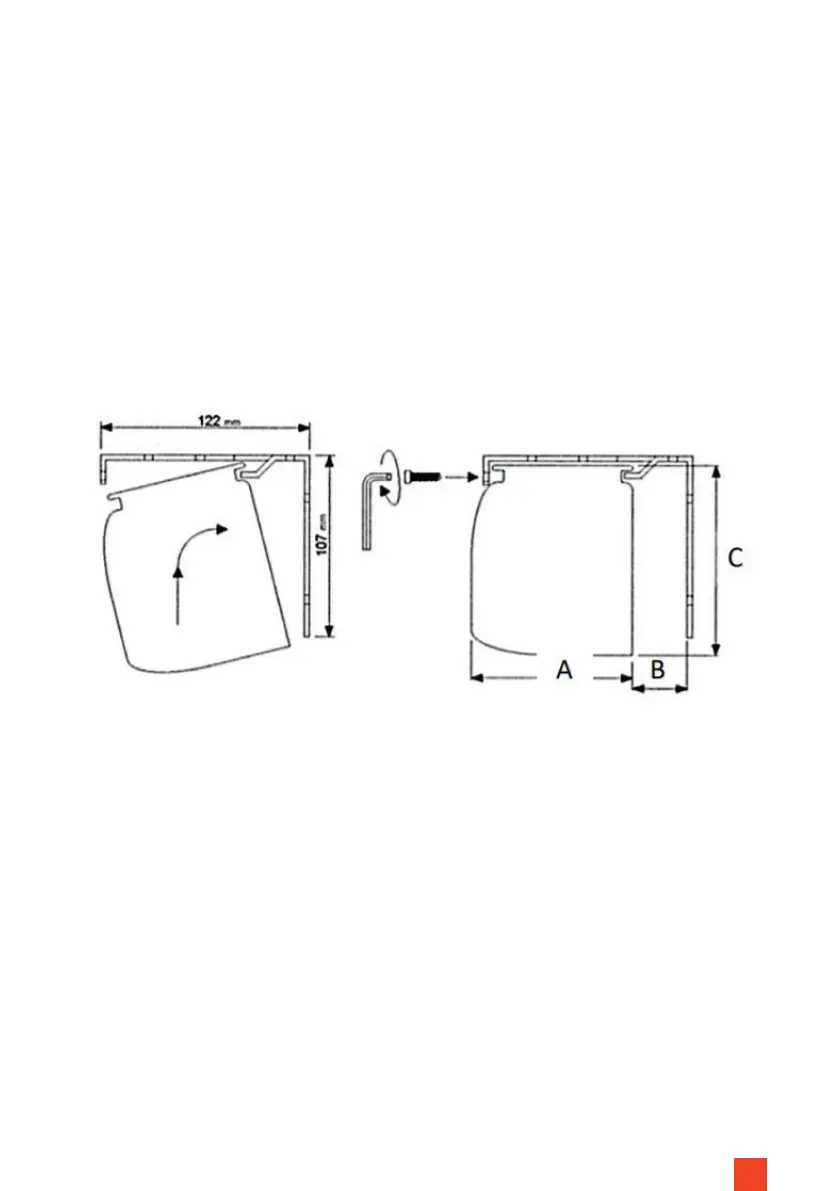
Lift the screen (with 2 people) and hook the casing rstly into the rear guide
of the bracket with a slight turn and then x the casing to the bracket from
the front with the locking screws. Do not release the housing until the locking
screw has connected the housing and the bracket together.
Remove the transport protection between the weighted rod and the housing.
Finally, check the screws on the screen and tighten them if necessary. In the
event of damage to the brackets or the safety screws, please contact your
dealer. The screen may only be used after the defective components have been
replaced.
A = Expert 9,5cm | Expert XL 12,4cm
B = Expert 2,7cm | Expert XL 1,6cm
C = Expert 11,5cm | Expert XL 13,3cm
STEP 2



 To Next Page