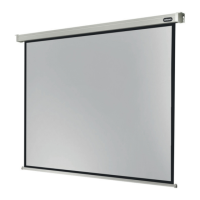
This document describes the celexon Manual Economy projection screen, a device designed for displaying projected images indoors.
Function Description
The celexon Manual Economy is a manually operated projection screen. It allows users to pull down the screen fabric to a desired length for projection and then retract it back into its housing when not in use. The screen can be locked at multiple lengths, providing flexibility for various projection needs.
Important Technical Specifications
The manual does not explicitly list detailed technical specifications such as screen dimensions, aspect ratio, or gain. However, it provides crucial information regarding its installation and usage:
- Intended Use: The product is designed exclusively for indoor use. It is NOT suitable for outdoor use.
- Mounting: The screen can be installed on a wall, ceiling, or hung from the ceiling using eyelets.
- Mounting Material: The enclosed installation material (plastic dowels, screws, ceiling loops, washers, nuts) is intended for solid stone walls. Users with different installation surfaces may need to obtain suitable mounting materials.
- Temperature Sensitivity: The PVC surface of the projection screen is temperature-sensitive. It should not be mounted in direct sunlight, in front of a window, or near heaters or air conditioners, as this could permanently damage the screen.
- Acclimatisation: It is recommended to wait approximately 2 hours after delivery before installing the projection screen, especially if moved from a cold to a warm environment, to allow it to acclimatise.
Usage Features
- Manual Operation: The screen is operated manually by pulling down the weighted bar handle.
- Multi-Length Locking: The screen can be locked at various lengths to accommodate different projection sizes. To lock, pull the fabric down to the desired position, wait 1-2 seconds, and then slowly release the handle.
- Retraction Mechanism: To retract the screen, pull the fabric down a few centimetres quickly to unlock the mechanism. Once unlocked, guide the screen vertically upwards at an even speed.
- Safety Stop: A stop sticker at the top of the screen fabric indicates the maximum extension limit. Users should not pull the screen beyond this point to prevent damage and ensure proper retraction.
- Optimal Viewing: For optimal viewing, the screen should be installed in a position fully visible to all viewers. The ideal installation height corresponds to the viewers' eye level being at the lower third of the screen surface when fully extended.
Maintenance Features
- Cleaning: The screen should NEVER be cleaned with alcohol or other cleaning agents containing solvents. Only a soft and clean cloth should be used. A mild soap solution (maximum 5%) can be used to remove dirt from the surface.
- Stain Avoidance: Users should avoid any stains on the fabric surface, as these may be difficult or impossible to remove.
- Damage Prevention: Avoid contact with sharp or pointed objects, as these can permanently damage the projection screen fabric.
- Inspection: Suspended loads (if applicable) must be checked at least twice a year for strength and load-bearing capacity.
- Screw Tightening: Screws should be tightened securely but not overtightened, as this can cause damage and impair the screen's secure hold. Cracked caps must be replaced, and the screen should not be used with cracked caps. Metal plates must be used for wall and ceiling mounting to ensure safe installation.
Safety Warnings and Precautions
The manual emphasizes several critical safety warnings:
- Read Instructions: Users must read and understand the complete operating instructions before installation and retain them for future reference.
- Qualified Installation: Installation should only be performed by qualified personnel with mechanical and electrical knowledge.
- Two-Person Installation: Installation should be carried out with another person to ensure safety.
- Product Inspection: Before use, check for any damage to the packaging or the product itself. Do not use the product if external damage or unusual functioning is observed; contact the dealer or celexon directly.
- Children: The appliance and accessories are forbidden for children under 16 years of age. Children should not play with the appliance or be in its vicinity without supervision.
- Modifications: Modifying or altering the product may compromise product safety.
- Repairs: Users should never open the product or attempt repairs themselves.
- Environmental Conditions: Do not use the product near corrosive gas, water, or in a dusty environment. Keep it away from moisture and heat.
- Handling: Handle the product with care, as it can be damaged by knocks, blows, or drops.
- Intended Use Only: Use the product only for its intended purpose.
- Retraction Guidance: Do not allow the screen to retract upwards without being guided, as the bar could enter the housing at high speed, damaging the screen and side caps, and potentially causing injury.
- Warranty: Incorrect installation or use may invalidate the warranty.
- Manufacturer Responsibility: The manufacturer accepts no responsibility for damage to property or personal injury if the screen is used outside recommended specifications or installed improperly.

 Need help?
 General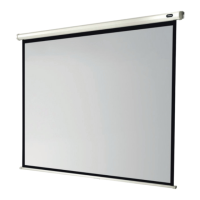

 To Next Page