32
V8.18
Control Panel Instructions*
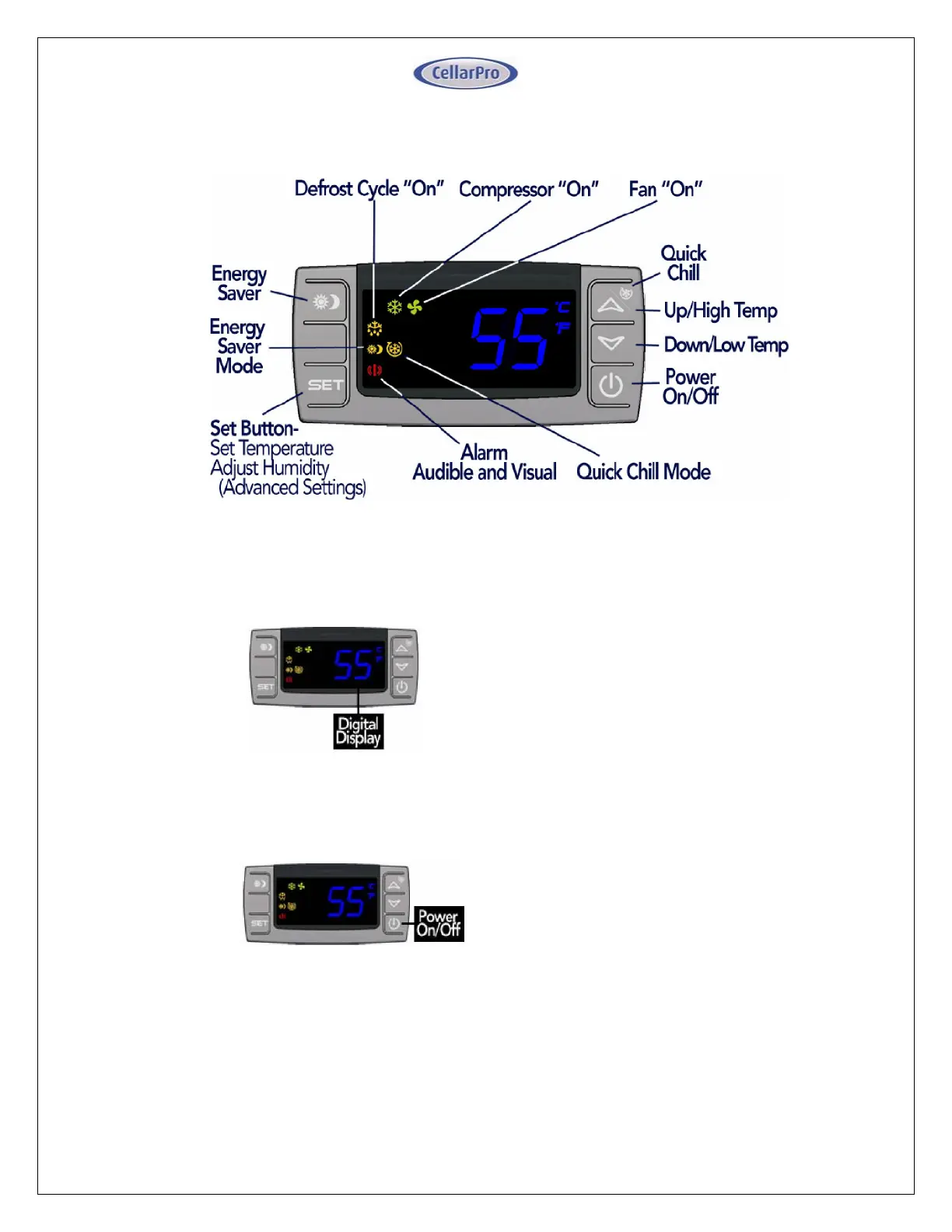
Digital Display
The temperature displayed on the control
indicates the real-time air temperature as
measured by Probe 1 (P1) located behind
the front grill of the cooling unit.
Power “On” / “Off”
Press “Power On/Off” to turn the unit on
and off.
When the “Compressor On” indicator light
is on, the Compressor is running.
When the “Fan On” indicator light is on,
the Fan is running.
The cooling system is programmed with a 3-
Minute Delay at Startup to protect its internal
components.
* Remote display/control instructions are included following this section.



 To Next Page