37
V8.18
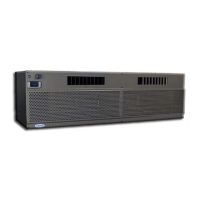
Once the wires are connected to the NT, connect power to the cooling unit, and turn “on”
the power on the cooling unit’s digital display. The current temperature will show on the
digital display. There is a 3-minute delay before the cooling unit will start to run.
Activate the NT and begin initial set up.
Recommended Settings
The following guidelines are general recommendations to optimize the NT for wine cellar
applications. It will be necessary to reference the available NT menus and available
options from the documentation provided with the NT.
Set the mode to “Cool Only”
Disable all scheduling, learning, and occupancy tracking functions. These routines
are intended for comfort cooling and are not suitable for long term wine storage
applications.
If the Thermostat has a configurable minimum/maximum set point range, set the
minimum to 47°F (or as low as possible) and set the maximum set point to 62°F. This
is the safe operating range for CellarPro cooling units.
Enter the desired cellar set point temperature. The NT will control the cooling unit to
manage this set point temperature.
Set fan to “Auto”.
Compressor Minimum Off Time: If this setting is disabled by default, it must be
enabled, with a minimum off time for CellarPro products of 3 minutes.
If the Thermostat allows high/low temperature alarms, we recommend the following
settings: 40°F (Low) and 70°F (high).
If the Thermostat has an adjustable temperature differential (cooling on/off range), a
setting of 4°F is recommended. Many Thermostats have a tight fixed differential of 1-
2°F. In this case the cooling unit will cycle more frequently than recommended.
Therefore, it is advisable to set a longer Compressor Minimum Off Time to minimize
frequent cycling.
If the NT has a “Change Air Filter” reminder, set the reminder for every 3 months.
This is for inspection and cleaning or replacement of the condenser filter.
Humidity Management (with Ecobee4 Pro Thermostats:) The humidity level in the
cellar can be maximized by allowing the cooling fans to run at the end of every cooling
cycle
From the NT, access the “Cool Dissipation Time” parameter from Main
Menu>Settings>Installation Settings Advanced Options>Thresholds and change “Cool
Dissipation Time” from Auto to a recommended value of 180 seconds (3 minutes).
The time can be set from 0 to 900 seconds in 30 second increments.
Humidity Management with Other Thermostats: our NT Update Kit is pre-programmed
with a fixed “fan off delay” of 3 minutes. Therefore, at the end of each cooling cycle,
the cooling unit fans will continue to run for 3 minutes.


 To Next Page
 Loading...