BIO X6 User Manual v. 1.0 40
4.3.4 Move tab
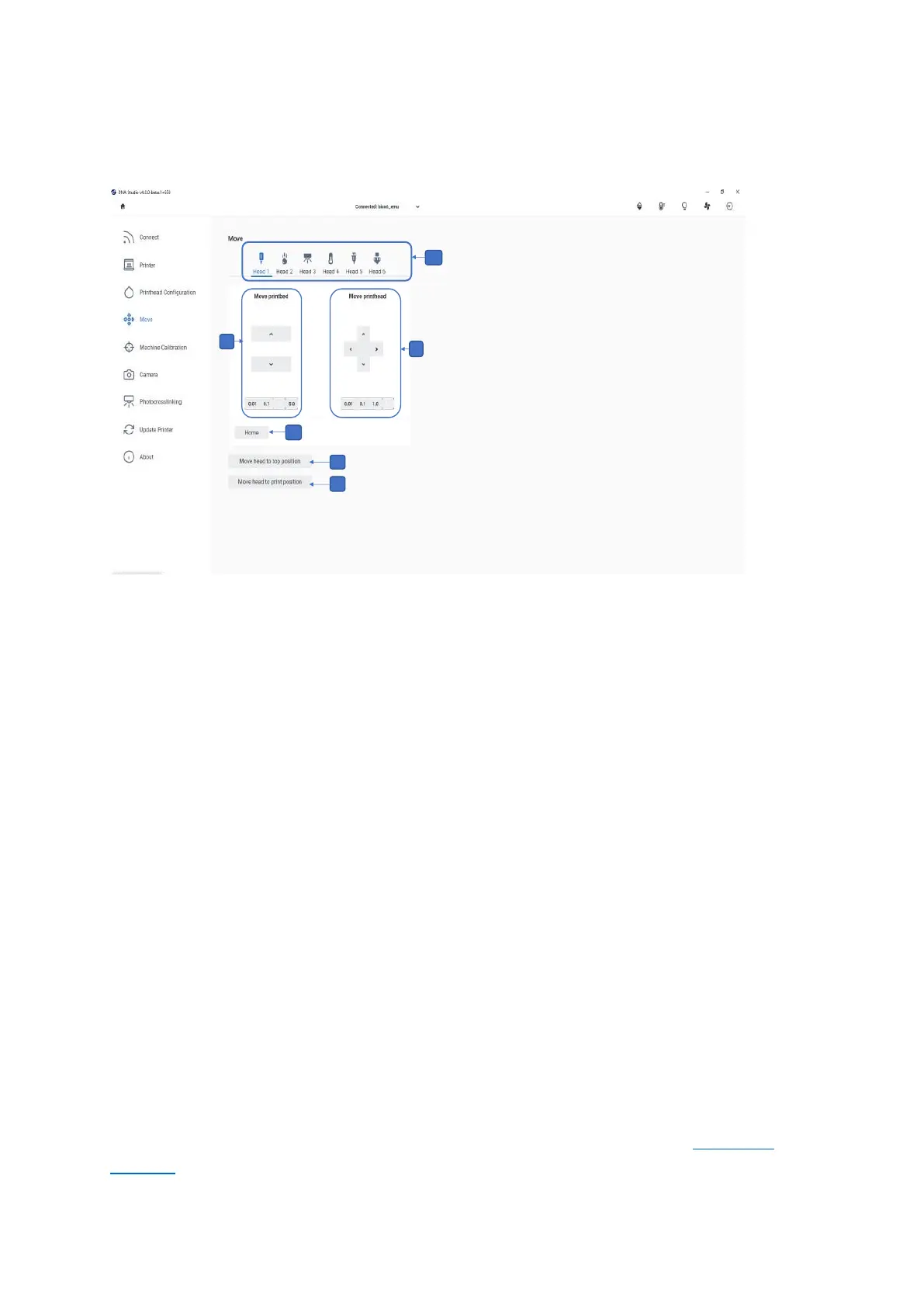
Use this tab to move the toolheads and the printbed.
Figure 15 Overview of the Move tab
1. Toolhead bar: Use this bar to navigate through the settings for each one of the
toolheads connected to the printer. The selected toolhead is highlighted in blue, and
its settings are displayed below. The displayed settings may vary depending on the
printhead or tool connected.
2. Move printhead: Use the arrows to move the toolhead on the x and y axes. Available
step sizes are 5, 1, 0.1 and 0.01 mm.
3. Move printbed: Use the arrows to move the printbed on the z axis. Available step
sizes are 5, 1, 0.1 and 0.01 mm.
4. Home: Tap to home the printer axes and return to absolute zero position.
5. Tap to move the toolhead to the top position.
6. Tap to move the toolhead to the print position.
4.3.5 Machine calibration tab
Use this tab to perform a calibration trimming procedure when setting up your printer and
after updating the software or performing a significant hardware change (see Calibration
trimming).



 To Next Page