BIO X6 User Manual v. 1.0 76
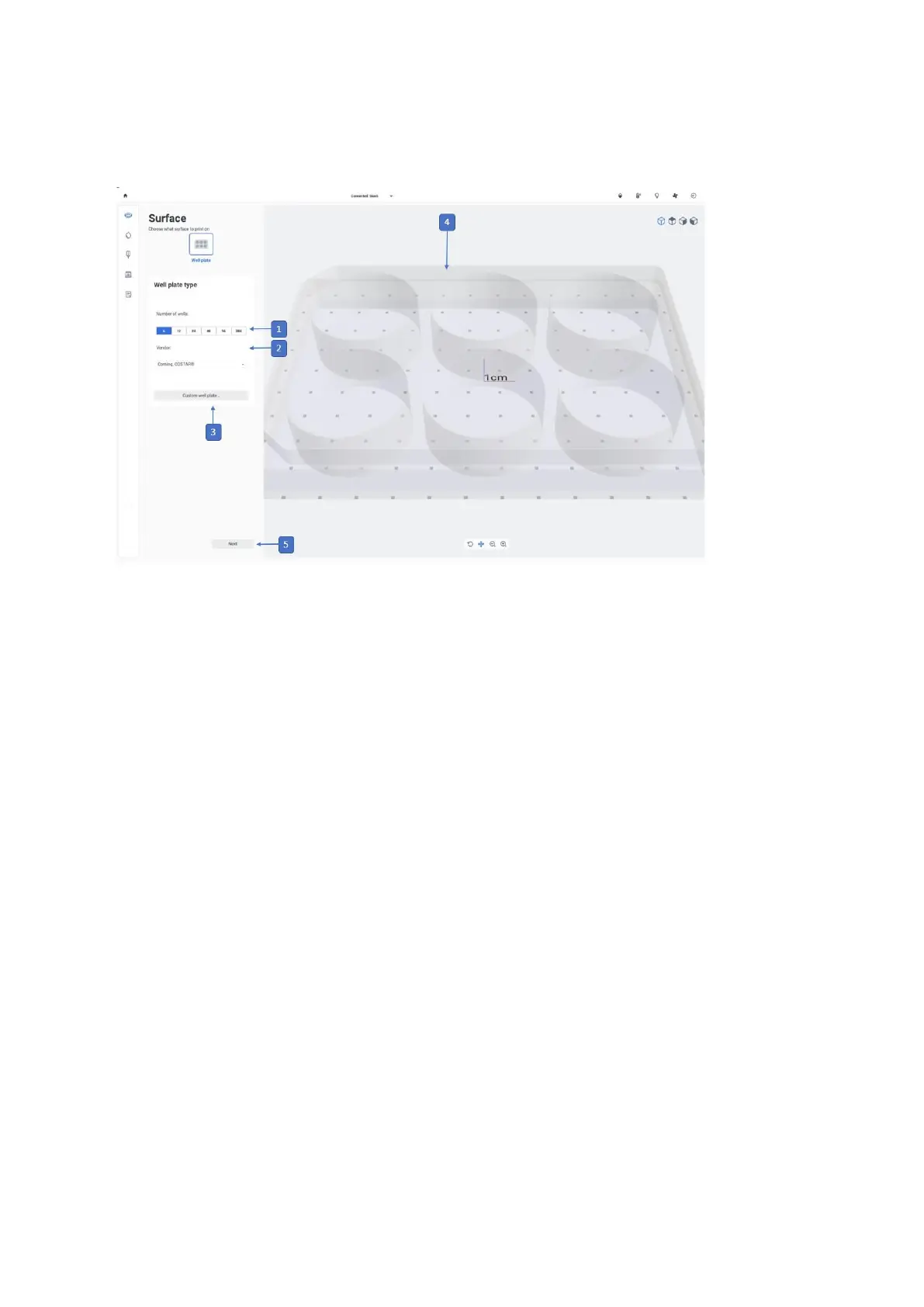
4.5.1 Print surface
1. Select a number to choose a well plate to print in.
2. Select a vendor for the well plate you are using. This feature enables the BIO X6 to
know the precise dimensions of the well plate, which can slightly vary depending on
the vendor. The current supported vendors are Corning Costar, Corning Falcon,
Thermo Fisher and VWR.
3. Custom well plate: Tap to create a custom well plate.
4. Preview: A preview of the selected well plate is displayed here.
5. Next: Tap to proceed with the next step of the bioprinting process. This button will
only be enabled once a print surface is selected.



 To Next Page