BIO X6 User Manual v. 1.0 78
4.5.3 Printhead settings
Depending on the printhead you are using, different settings are required for configuration.
General information about the printheads can be found on section 12 of this manual. Further
details are outlined in the separate printhead manuals.
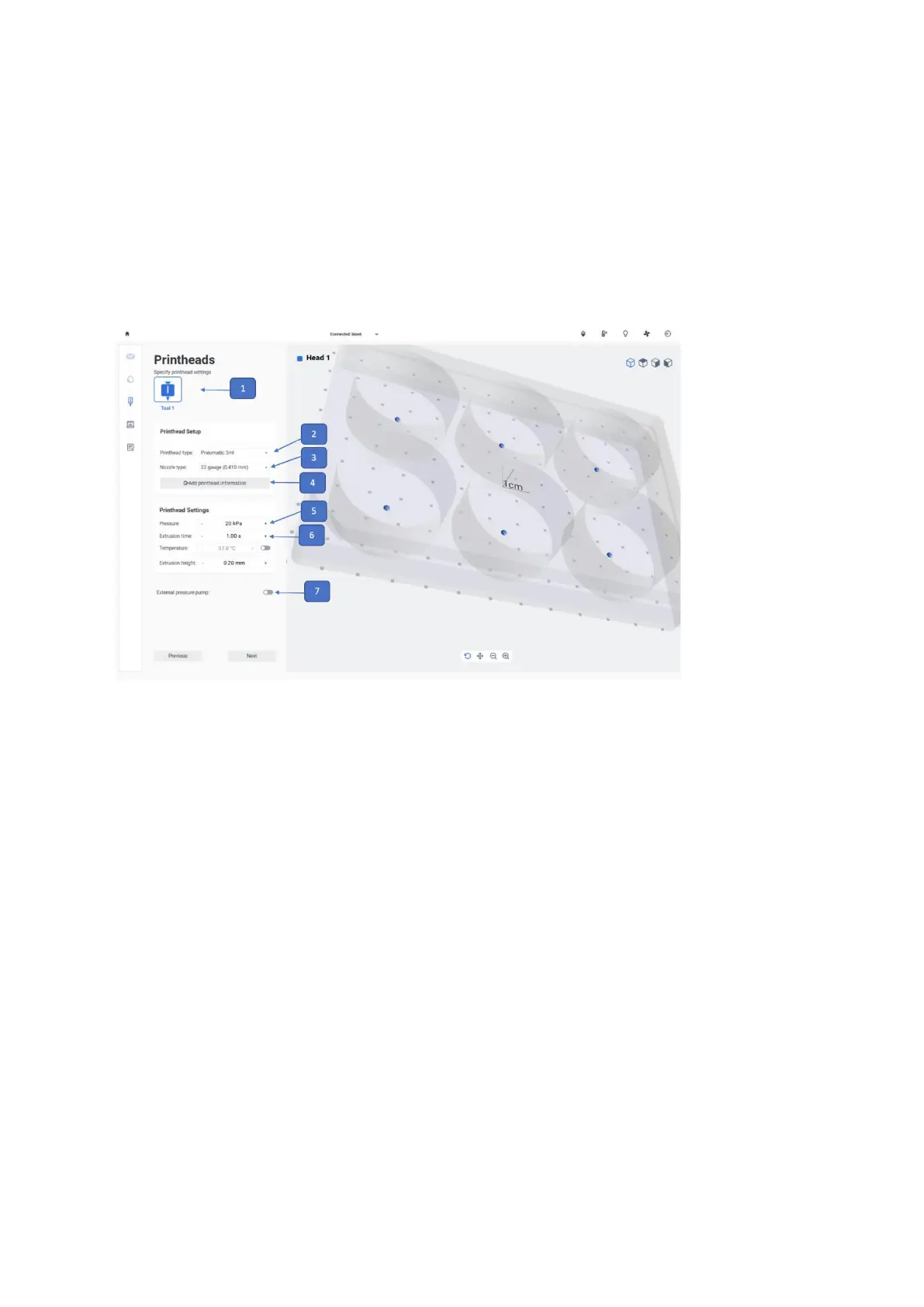
1. Tool bar: Indicates the printheads previously indicated to be involved in the printing
process. Tap on each printhead to set it up with the information in the two boxes
below (26).
2. Printhead type: Tap to select the printhead type. Droplet printing is only compatible
with Standard Pneumatic, Temperature-controlled, and Syringe Pump printheads.
3. Nozzle type: Tap to select the nozzle type (No matter if the user is using needles or
nozzles, user is allowed to choose the nozzle size only (the nozzle type option can be
used for both needles and nozzles).
4. Add printhead information: Tap to add printhead information that will be saved in
the print log. With this feature you can add information regarding the nozzle brand,
shape, and length, as well as information of the material such as bioink, the batch
number, bioink volume, cell type, and cell concentration. All information saved on the
print log can be accessed later and can be useful for your lab records or for planning
future experiments.


 To Next Page
 Loading...


