BIO X6 User Manual v. 1.0 87
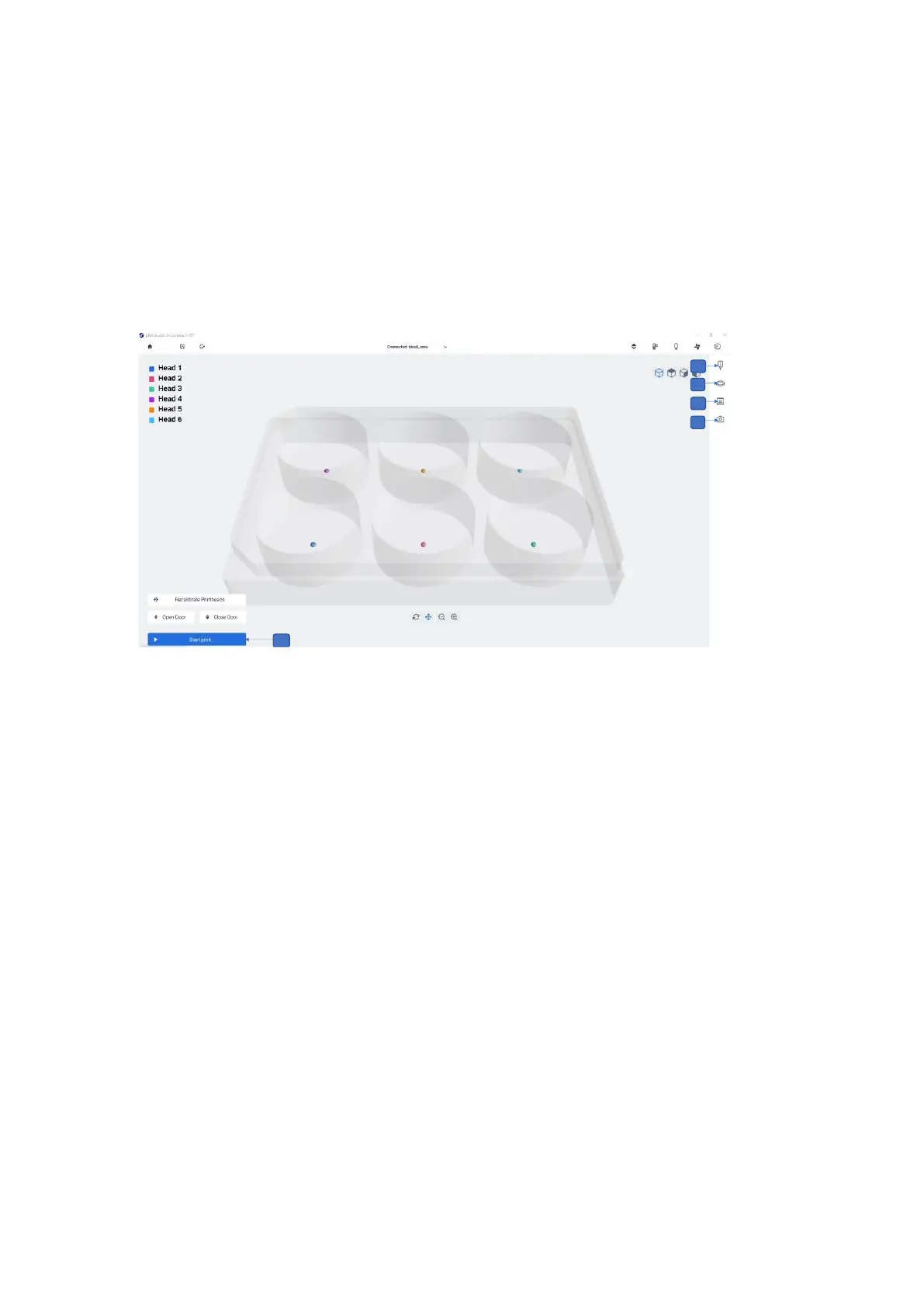
1. Head 1,2,3,4,5,6 and surface probe: Calibration tab for all printheads and (surface
probe: Home the printer axes and return to absolute zero position).
2. Done: Tap to proceed with the bioprinting process. This button will only be enabled
once the calibration has been successfully completed.
3. Abort: Tap to cancel the calibration
4. Printhead icon: Tap to review and edit the printhead setting.
5. Printer icon: Tap to review and edit the printer settings.
6. Surface icon: Tap to review and edit the surface settings.
7. Camera icon: Tap to review and edit the camera settings. This option is only
available when the Camera tool is connected to the BIO X6.
8. Start print: Tap to start the bioprinting process. This button will only be enabled once
the calibration protocol is complete.
4.5.7 Printing droplets with multiple heads
This screen allows you to track the bioprinting process in the BIO X6. You can monitor the
activity of each printhead, of the printbed, of the photocrosslinking LEDs and of the print
chamber while printing. In addition, you can change the printing parameters of any of the



 To Next Page