BIO X6 User Manual v. 1.0 88
printheads while the printing process is ongoing. This includes pressure, speed, and
temperature.
Always pause the bioprinting process before opening the door. Do not remove
printheads before bioprinting has stopped. Doing so risks aborting the process
and compromising your cells.
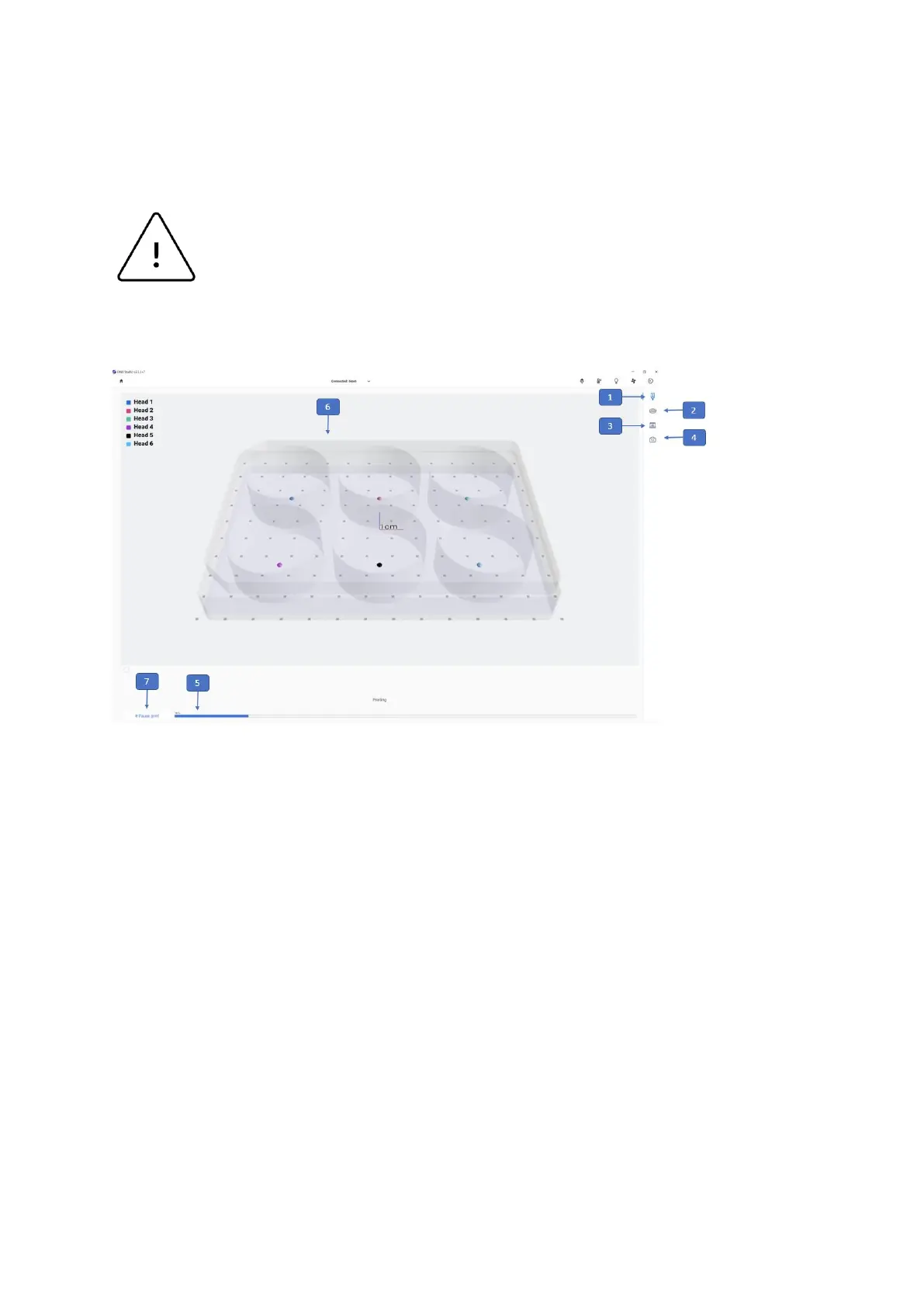
1. Printhead icon: Allows you to monitor and change the settings of the printheads
participating in the bioprinting process.
2. Surface icon: Allows you to monitor the settings of the print surface.
3. Printer icon: Allows you to monitor and change the settings of the printer.
4. Camera icon: Allows you review and edit the camera settings. This option will only
apply when the Camera tool is connected to the BIO X6.
5. Progress indicator: Displays progress of the bioprinting process as a percentage
(%). This is calculated by considering the total number of layers to be printed and the
layer which is being currently printed.
6. Preview: A preview of the printing progress will be displayed here.



 To Next Page