EasyManua.ls Logo

Cellink NEO 8+S - User Manual

Cellink NEO 8+S
9 pages
Print Icon
To Next Page IconTo Next Page
Loading...
Note
The specifications listed in this manual are subject to change without the advanced notice.
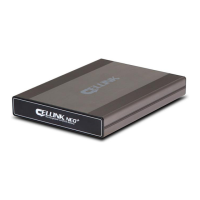
This product is an external power supply, which is used to provide extended dash cam recording when the
vehicle is parked, without depleting or damaging the vehicle's battery. This manual outlines the basic
steps required to install and use the external battery.
EGEN
[ User’s Manual ]
8
+s
Question and Answer IconNeed help?

Do you have a question about the Cellink NEO 8+S and is the answer not in the manual?

Summary

Terminal Identification and Function

General Product Specifications

Product Features and Properties

Installation Guide Part 1

Installation Guide Part 2

Mobile App Installation and Usage

Downloading the Mobile App

Download the dedicated smartphone application for managing the battery.

App Pre-Operation Checklist

Prepare the battery by setting the power switch before launching the app.

Bluetooth App Connection Guide

Guide to establish a Bluetooth connection between the app and the battery.

Mobile App Main Screen Overview

Explains the different elements and data shown on the app's main interface.

Product Security: Password Setup

Accessing Product Settings

Details how to access and use the product's configuration menu via the app.

Expanding Battery Capacity

Extended Battery Installation

Instructions for connecting an additional battery pack to increase capacity.

Safe Handling Precautions

Battery Disposal Guidelines

Product Warranty Information

Customer Support Details

Cellink NEO 8+S Specifications

General IconGeneral
BrandCellink
ModelNEO 8+S
CategoryBattery Pack
LanguageEnglish