Answering a Call
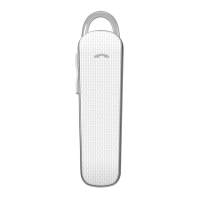
Method 1: Shortly Press MFB of the Headset.
Method 2: Answer the call on your phone.
Ending a Call
Method 1: Shortly Press MFB of the Headset.
Method 2: End the call on your phone.
Rejecting a Call
Press and hold MFB of the Headset for 2 seconds.
e Last Number Redialing
Shortly press MFB TWICE to redial the last phone number.
Adjusting e Volume
Press and hold “V+” /“V-”to adjust the volume to meet your need.
Disconnecting
To disconnect the paired headset from your phone, please turn off the headset or disconnect
the headset from the Bluetooth menu of your phone.
When the headset and the mobile phone have been paired, don’t need to do connecting, the
headset will automatically connect with the mobile phone (firstly ensure the mobile phone’s
Bluetooth function have open, and the distance between your headset and phone is within


 To Next Page