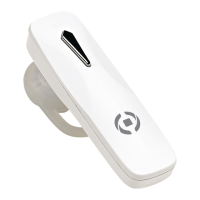
Music control functions:
During music playback, hold down “+” key for 1 second to switch to the next song. Hold down
“–“ key for 1 second to select the previous song.
Auto-power off:
e headset will automatically switch off after 6 minutes of inactivity.
Voice control:
Press the multifunction button twice to active the voice control of your smartphone.
Audio switch:
During a call, press the multifunction button twice to switch the conversation from the headset
to your smartphone
Mute mode:
During a call, press and hold the "-" key to activate the “mute” mode, press "+" key to turn it off.
Multi-point function:
1) Connect the Bluetooth headset with smartphone “A”, and then deactivate the bluetooth
function of the smartphone “A”.
2) Connect the Bluetooth headset with smartphone “B”.
3) Activate the Bluetooth function of the smartphone “A” again, then the headset will auto connect
to the smartphone “A”. Now the Bluetooth headset is connected to smartphone “A” and “B”.


 To Next Page