EasyManua.ls Logo

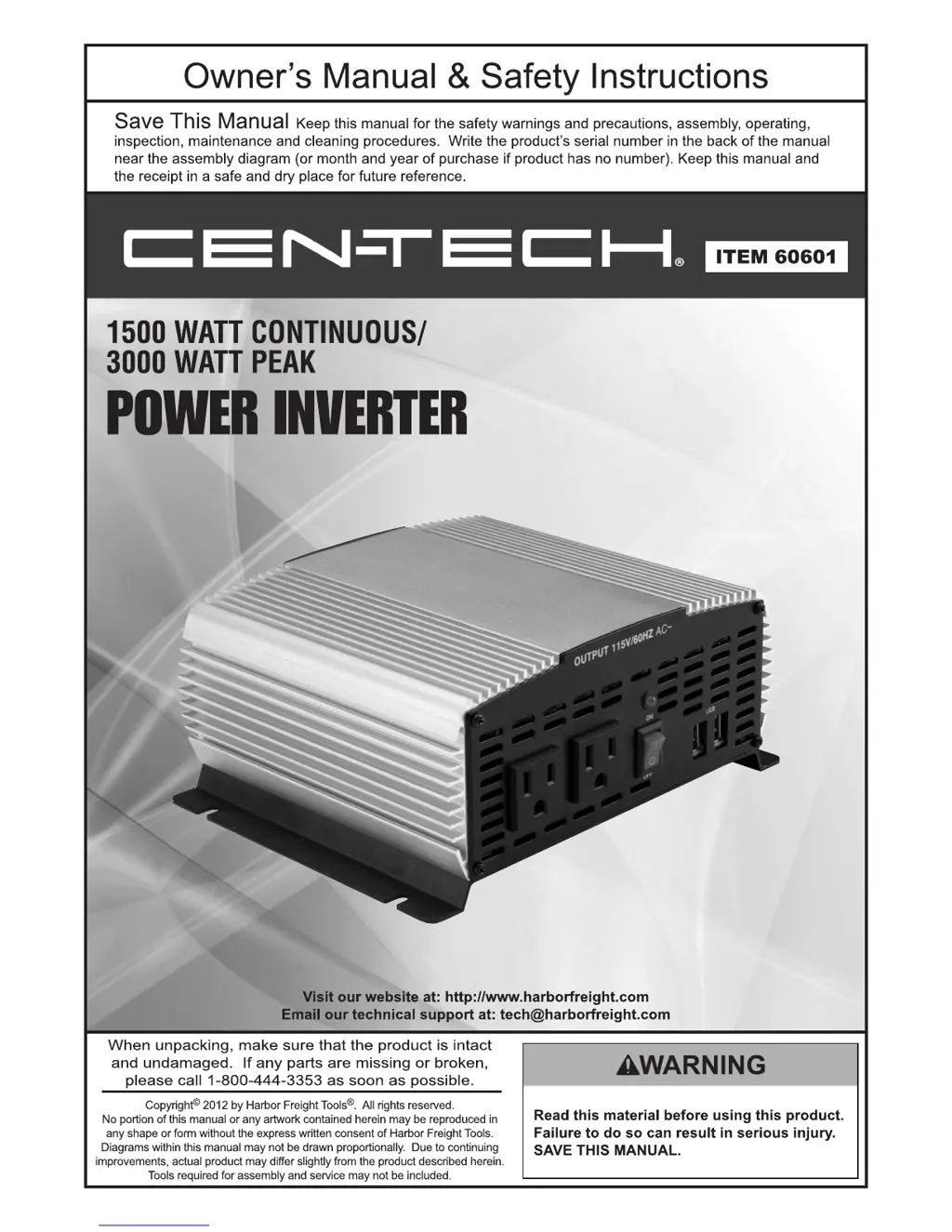
Centech 60601 - User Manual

Centech 60601
12 pages
Print Icon
To Next Page IconTo Next Page
Loading...

Questions and Answers

  • F
    fishercatherineJul 31, 2025
    What to do if Centech 60601 has no output voltage?
    • B
      Benjamin CochranJul 31, 2025
      If your Centech Inverter has no output voltage, several factors could be the cause. Start by checking and securing all connections, and inspect the battery bank fuse, replacing it if necessary. A technician should check internal fuses, as only qualified personnel should open the housing. Ensure the input voltage isn't too low by recharging or replacing the battery. Clean and tighten any loose or corroded connections. Finally, verify that the input voltage isn't too high by removing the charging source and confirming the correct battery is in use and connected properly.
  • D
    Donald MorrisAug 5, 2025
    Why does my Centech Inverter shut off during use?
    • S
      Steven BeckAug 5, 2025
      Your Centech Inverter might be shutting off during use due to an excessive load at the output; reduce the load to less than the rated power. Alternatively, the internal temperature may be too high. To resolve this, let the Inverter cool down for at least 30 minutes, ensure the fan is not blocked, and provide sufficient ventilation.
  • E
    Elizabeth BuckAug 10, 2025
    What to do if Centech 60601 could not drive load?
    • L
      Lindsay MillerAug 10, 2025
      If your Centech Inverter can't drive a load, it might be because the load power is too large; try lowering the load level. Also, check if the AWG of the wire is too low and use appropriately-sized wire connections. Another reason might be that the start power of a device is up to twice the rated power, so reduce the load or change devices.
  • S
    steintimothyAug 14, 2025
    What to do if Centech 60601 output voltage is incorrect?
    • M
      Micheal SandovalAug 15, 2025
      If the output voltage of your Centech Inverter is incorrect, it could be due to the input voltage being too high or too low. Make sure to maintain the input voltage at the required level.
  • C
    Corey McdonaldAug 20, 2025
    Why does motor-operated device operate at incorrect speed with Centech 60601 Inverter?
    • B
      billbarryAug 20, 2025
      If a motor-operated device operates at an incorrect speed when used with your Centech Inverter, it might be because the load is only inductive. To fix this, operate a lamp or heater at the same time to provide a more balanced load.
  • M
    Michael GainesAug 26, 2025
    How to fix static on television or buzz from speakers with Centech 60601?
    • M
      Molly MatthewsAug 26, 2025
      If your television picture is full of static or your speakers are making a buzz when using your Centech Inverter, it could be due to television or radio interference. Try moving the Inverter away from the antenna and/or use a shielded antenna cable. Alternatively, the device may be incompatible. Contact the device supplier to ensure it can operate on Modified Sine Wave Power.

Summary

Owners Manual & Safety Instructions

Save This Manual

Keep manual for safety, assembly, operating, inspection, maintenance, and cleaning.

Product Warnings and Precautions

General warnings and precautions before using the product.

Specifications

Input Specifications

Details on voltage, wire gauge, fuses, and other input parameters for the inverter.

Output Specifications

Details on receptacles, waveform, frequency, and other output parameters for the inverter.

Warning Symbols and Definitions

Hazard Symbol Definitions

Explains safety alert symbols like Danger, Warning, Caution, and Notice for hazard identification.

Important Safety Instructions

Save These Instructions

Essential safety instructions for inverter installation and maintenance.

General Precautions

General safety advice regarding pacemakers, chemical exposure, and operator common sense.

Installation Precautions

Guidelines for safe and proper installation of the inverter, including ventilation and wiring.

Battery Precautions

Safe Battery Handling

Precautions for handling, charging, and connecting batteries, including safety gear.

Battery Bank Configuration

Guidelines for connecting batteries in parallel and installing fuses for safety.

Operation Precautions

Device Compatibility and Usage

Advice on powering various devices, checking temperatures, and avoiding overloads.

Inverter Usage and Maintenance

Tips on using the inverter with specific appliances and turning it off when not in use.

Service Precautions

Inverter Servicing and Safety

Warnings against opening the housing and instructions for qualified repair and fuse replacement.

Symbology

Electrical Symbols Explained

Definitions and explanations of various electrical symbols used in the manual.

Output Waveform

Modified Sine Wave Output

Explains the inverter's modified sine wave output and its suitability for different devices.

Installation

Important Installation Warnings

Critical safety warnings and cautions regarding DC voltage and installation procedures.

Inverter Placement and Grounding

Guidelines for placing the inverter, ensuring ventilation, and proper grounding.

Battery Type Selection for Installation

Recommendations for selecting suitable battery types, excluding automotive batteries.

Battery Bank Assembly

Battery Capacity and Run Time

Chart showing inverter output, required battery capacity for run times, and how to calculate bank capacity.

Parallel Battery Bank Wiring

Detailed instructions and safety rules for connecting multiple batteries in parallel for the inverter.

Operating Instructions

Connecting and Testing Devices

Steps for connecting devices, turning them on, and handling alarms or issues.

Vehicle Battery Operation

Advice on using the inverter with a vehicle's starting battery and managing battery charge.

Typical Device Power Consumption

Device Wattage Guide

A general guideline chart of power consumption for various common devices.

Maintenance and Servicing

Safety Before Maintenance

Critical safety warnings for electric shock and inverter failure during maintenance.

Regular Inspection and Cleaning

Procedures for pre-use inspection, post-use cleaning, and battery maintenance.

Inverter Storage and Disposal

Guidelines for safe storage of the inverter and proper disposal of internal components.

Limited 90 Day Warranty

Warranty Terms and Conditions

Details the 90-day limited warranty, exclusions, and return procedures for the product.

Centech 60601 Specifications

General IconGeneral
BrandCentech
Model60601
CategoryInverter
LanguageEnglish